
The agentic OS for in-person customer acquisition.
Get in the rooms where company decision-makers gather. Ghost matches you with the ones your ideal clients are in, shows you who’s there, and keeps every deal in one place, from first message to payment.
Where hosts land sponsors
The all-in-one place to get your moments funded — big rooms and small. Your whole pitch and track record live in one profile, Ghost matches you with vetted sponsors who want to be in your rooms, and every deal stays in one thread through to payment.

Online is louder than ever. Trust is still built in person.
AI makes it easier than ever to build products, create content, and reach customers online. The result is more noise, less differentiation, and a harder time earning attention.
In-person relationships create what digital channels can’t. Ghost helps B2B SaaS companies, law firms, wealth managers, banks, and other high-value firms choose where those relationships happen — and turn them into measurable business.
Be in the rooms that matter.
Vetted hosts, rooms that fit
Every host in the Ghost network is vetted, either referred by a member or reviewed by our team. Ghost matches you with their moments when your ideal clients are in the room.
Every opportunity in one list
Set your ideal client once and Ghost privately sends you the moments that fit. Share invites you find yourself and they land in the same list, judged the same way.



Know who’s actually in the room
Ghost weighs the numbers — how many guests match your ideal client, what each qualified lead costs, whether the ask fits your budget — alongside the host’s track record, the format, and who’s coming. Guests are described, never named.
Get to yes in one thread.
From first message to agreed terms
You still talk to the host and agree the deal yourself. Ghost keeps the messages, offers, counters, and deadlines in one place, so there are no email chains.
Message the host first
Introduce yourself and what you have in mind. The host sees your organization from the first message; when they reply, you each get the other’s point of contact.
Propose, counter, accept
Put terms in the deal room — amount and deliverables from one shared list. Either side can counter with a note. Nothing is binding until you both accept.
Pay, show up, and review.
Paid, unlocked, reviewed
Pay through Ghost when you’re ready, get what you agreed to, and leave a review the next sponsor can read.
Pay when you choose to
Once terms are agreed, pay from the deal room by card or bank transfer — you’re never charged automatically. Deliverables like guest list access unlock as soon as the deal is final.
Rate the room you paid for
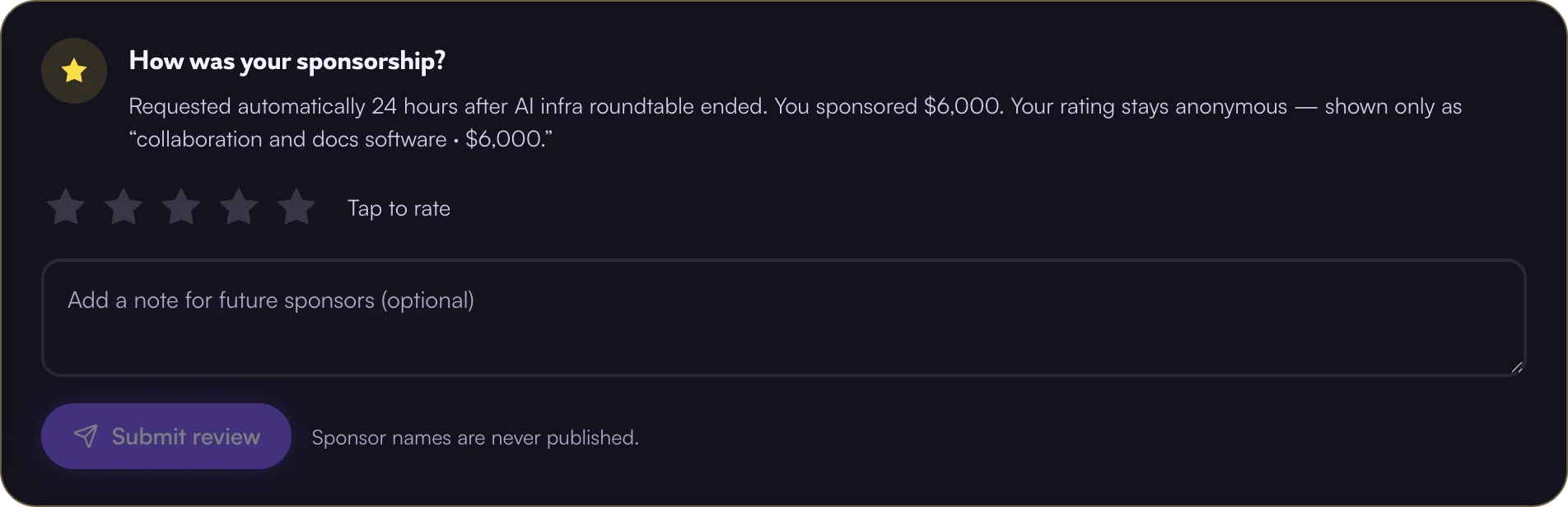
After the event, rate the host and say how it went. Reviews build each host’s track record, so every sponsor picks with better information.
Questions, answered
Don’t see yours? Get in touch. We usually reply within a day.
Getting started
What is Ghost?
Ghost is the AI-native platform for relationship-driven business development. Sponsors find the in-person rooms their ideal clients are in, see who’s there before they commit, and agree terms and pay in one place. Hosts get their moments funded by sponsors who fit.
Every host and sponsor in the Ghost network is vetted, so both sides know who they’re dealing with.
Who is Ghost for?
Sponsors and hosts. Sponsors are companies that grow through in-person relationships — B2B SaaS companies, law firms, wealth managers, banks, and other high-value firms. Ghost matches them with the rooms worth being in.
Hosts run the dinners, salons, and summits those sponsors want to be in. Ghost matches their moments with the right sponsors, keeps terms and payment in one place, and recommends who their attendees should meet.
Are hosts and sponsors vetted?
Yes. Every host and sponsor on Ghost is either referred by an existing member or reviewed by our team before they can publish a moment or reach out. A referral code skips review and approves you instantly.
Who can see whom, hosts and sponsors?
Anyone browsing can see moments, though some details are gated until you sign in, and you can’t message a host until you sign up or log in.
If the host uploads a guest list for their moment, sponsors can see each guest’s role, company, city, and whether they’re invited or confirmed. Names, emails, and LinkedIn profiles stay private by default until a deal is reached, and only if the guest list is part of that deal.
Hosts can’t browse sponsors — sponsors always reach out first. When one does, you see which organization it is. Reply, and you each get the other side’s point of contact and their details. No reply, no contact exchanged.
How does a deal come together?
A host publishes a moment. Ghost privately sends it to the sponsors it’s an excellent or great fit for, against the criteria they set. Sponsors reach out first; the host’s reply reveals each side’s point of contact, and from there you agree on terms, pay through Ghost, and review each other.
What is a sponsorship brief?
What a sponsor sees on every published moment, matched or not.
Qualified leads and cost per qualified lead only appear when the host has uploaded an invited or confirmed guest list and the sponsor has their ideal customer profile filled out in Sponsorships (account menu). Those leads are described — role, company, location where applicable — never named; contact details stay with the host unless attendee list access is an agreed deliverable.
The host and co-host organizations’ logos, names, and websites are public. The people aren’t: the host and any co-hosts are named once the host replies to a sponsor.
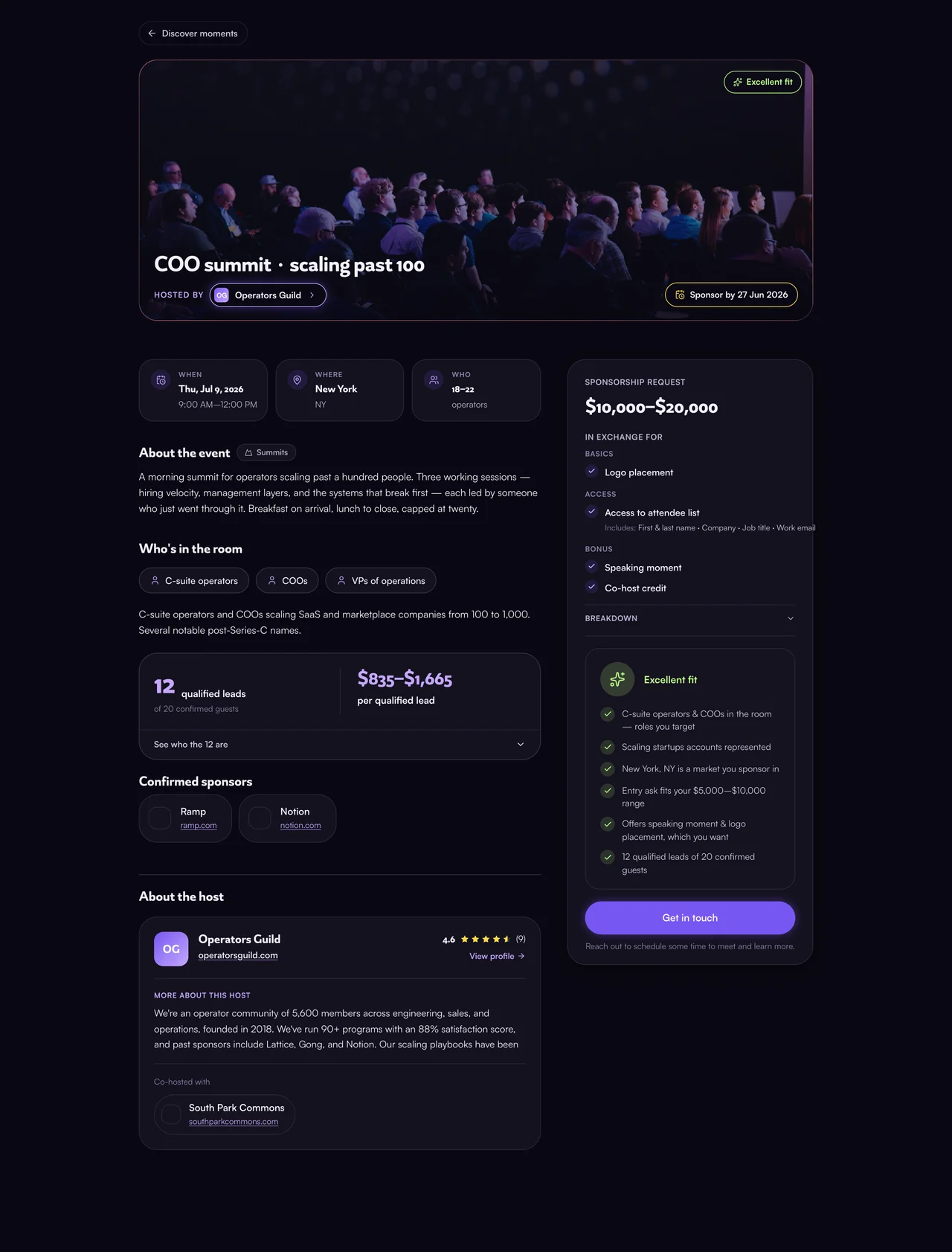
What are deliverables?
Deliverables come from one shared list, grouped the same way everywhere in Ghost:
Basics
Access
Bonus
Anything outside this list goes in as your own “other” deliverable.
Hosts pick them in the deal step of , and they show up on the brief as “In exchange for.”
Sponsors set theirs in Sponsorships: which deliverables they’re seeking, and which are dealbreakers. That shapes the moments Ghost matches them with, and they pick them again per deal when they propose terms.
Where attendee list access is in play, the sponsor also specifies which fields the list has to carry when they propose terms — shown above under that deliverable — so both sides know exactly what’s being agreed to.
For sponsors
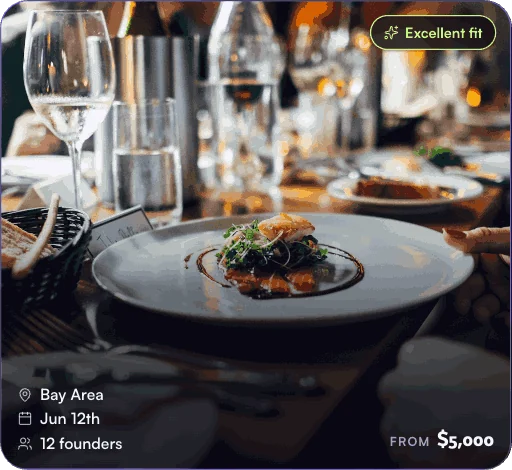
What is a fit tier?
A fit tier shows how well a moment matches you, based on what you’ve set in Sponsorships (account menu). Another sponsor can see a different tier on the same moment.
Only excellent and great fits are sent to you. You can still find every moment in Discover.
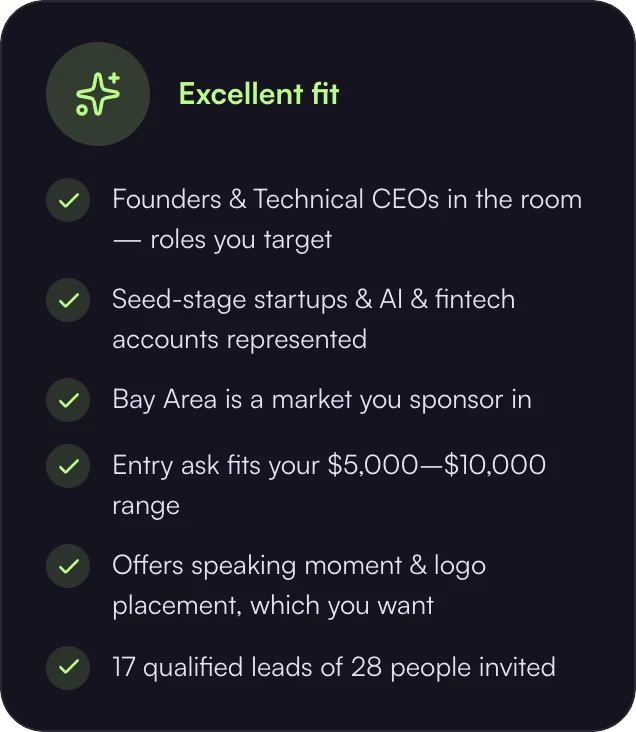
How does Ghost evaluate a room?
Ghost weighs every opportunity on quantitative and qualitative factors. Quantitative: how many guests fit your ICP, your cost per qualified lead, and whether the ask fits your budget. Qualitative: who the host is and their track record with past sponsors, the format and feel of the room, where it takes place and whether that’s a city you’re targeting, how the host describes who’s coming, and whether the deliverables match what you want in return.
Together they set the moment’s fit tier, and the brief shows the reasons behind it so you can judge whether it’s worth the spend.
Guests are described by role, company, and location, never named, unless guest list access is part of a finalized deal.
How do I get matched to moments?
Set up Sponsorships (account menu) once and Ghost does the rest:
- Ghost drafts your ideal customer profile (ICP) from your website for you to review. You add the rest: the formats you sponsor, target locations, budget, and what you want in return.
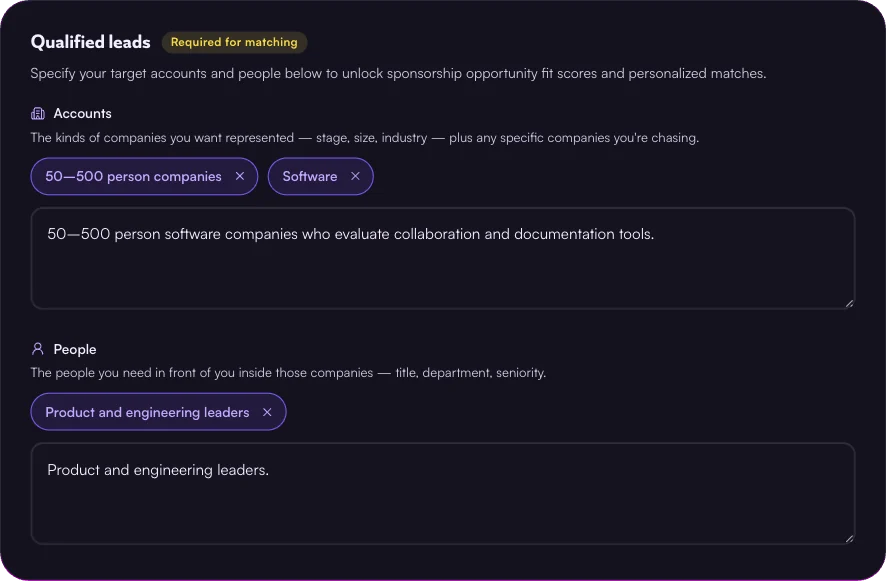
- Ghost privately sends only moments rated an excellent or great fit to your inbox (top right) and by email, so you’re never spammed — and hosts never know their moment was sent to you.
- Everything in your Sponsorships tab is private and only used by Ghost to sharpen your matches. Hosts never see it.
- Review the brief, then reach out or pass. Passing clears the match, and you can reconsider while the moment is still open.
Matches are a shortcut, not a limit: you can message the host and propose terms on any moment that’s currently published, whether or not Ghost matched you with it.
What is the AI voice interview for sponsors?
An optional interview in Sponsorships (account menu), under Materials: talk through what you’re looking for in a sponsorship — the rooms, the people, what you want out of it — instead of typing it all out.
The recording is never heard by anyone or shared. Ghost only uses the transcript to sharpen your matches.
How do I propose terms?
Any published moment works — one Ghost matched you with in your inbox (top right), or one you found in Discover.
A short intro: who you are and what you’re thinking deal-wise. The host sees your organization by name.
Once the host replies, Propose terms becomes your next step on the deal room timeline.
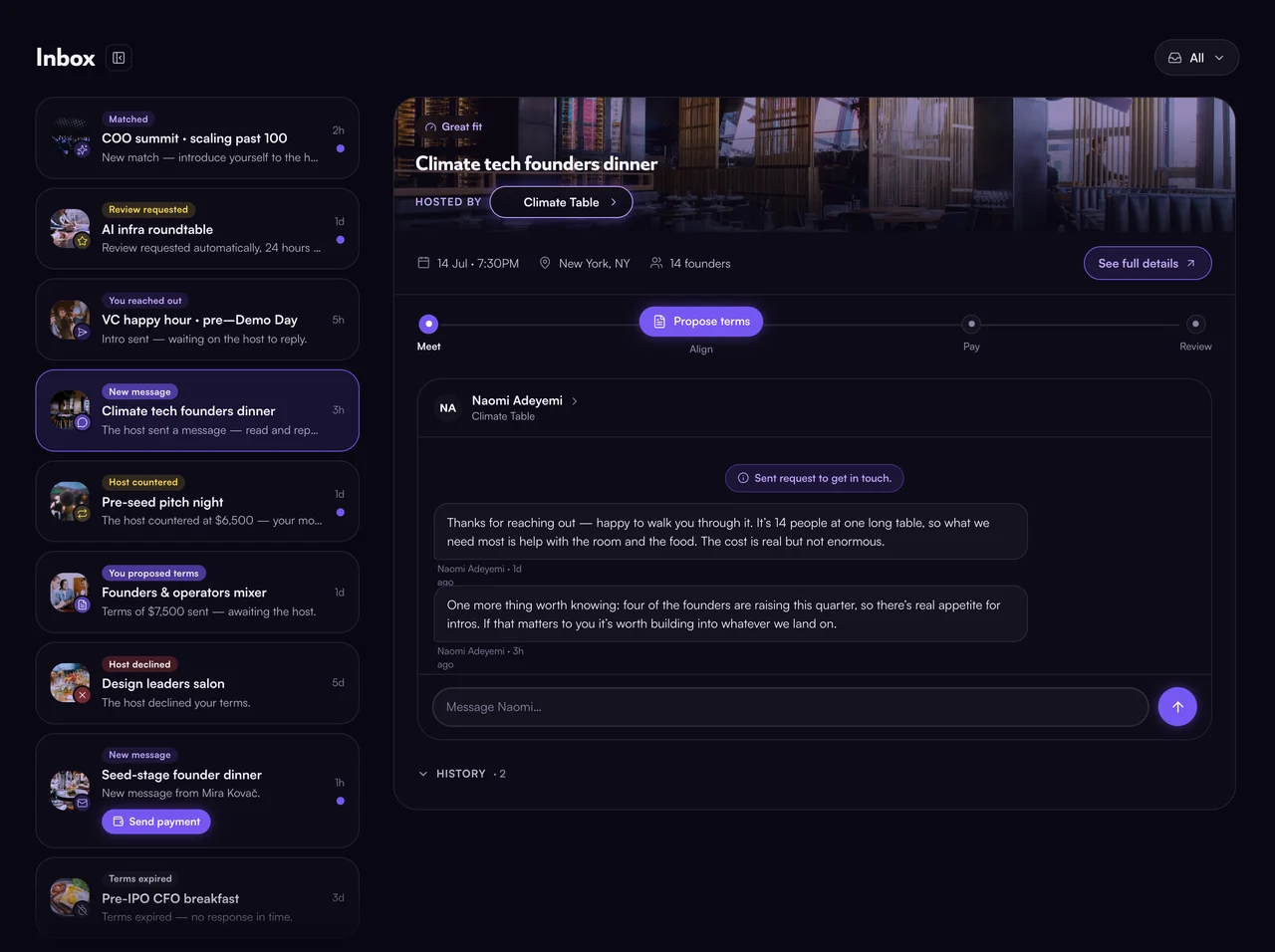
Terms are your amount plus what you’d like in return. Nothing is charged and nothing is binding until you both accept.
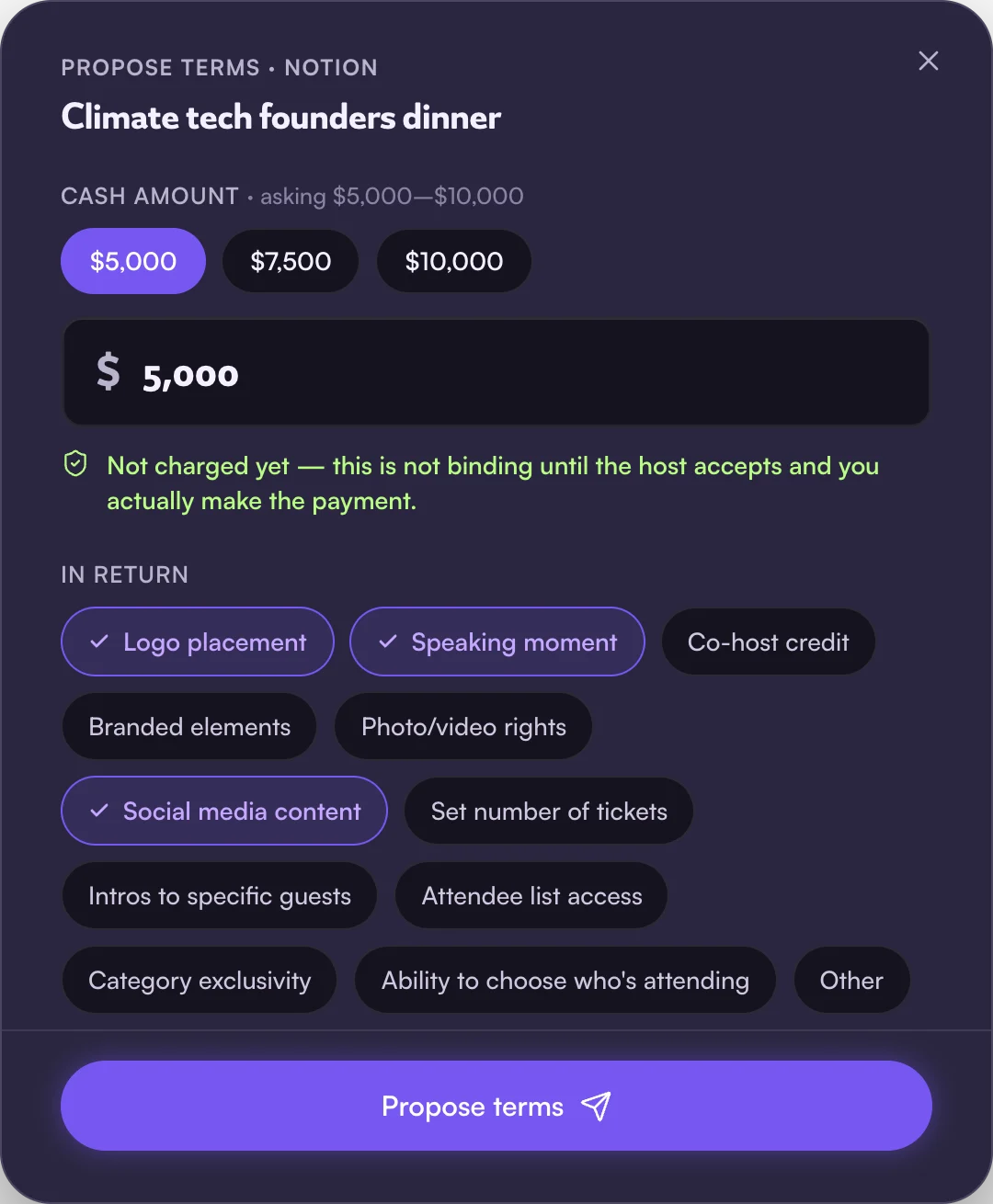
The host’s reply reveals each side’s point of contact. From there they can accept, counter, or decline your terms, each with a note, until you agree.
Do my brand materials appear on a moment?
Not by default. Your organization’s name, logo, and website only appear on a moment if the host lists you as a co-host or a confirmed sponsor.
Your Profile (account menu) is visible to any host you message. Your Sponsorships tab — including any voice interview or deck in Materials — is only visible to you, and only used to sharpen your matches.
What happens after a deal is reached?
Terms are locked in the deal room and you pay through Ghost. Deliverables like guest list access unlock then. Contacts were already exchanged when the host replied to you.
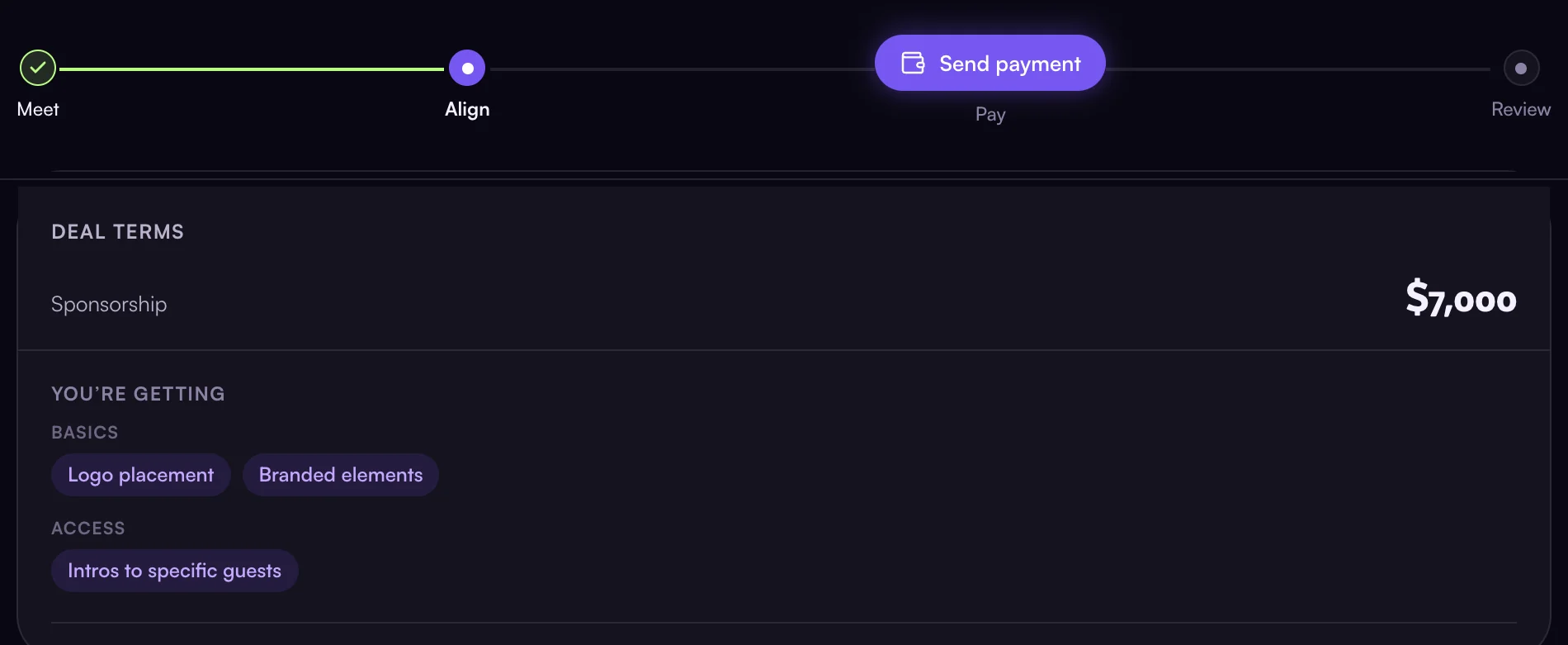
After the event, you and the host review each other. Reviews build each side’s track record, so the next sponsor or host decides with better information.
Deals & payments
Does Ghost take a commission?
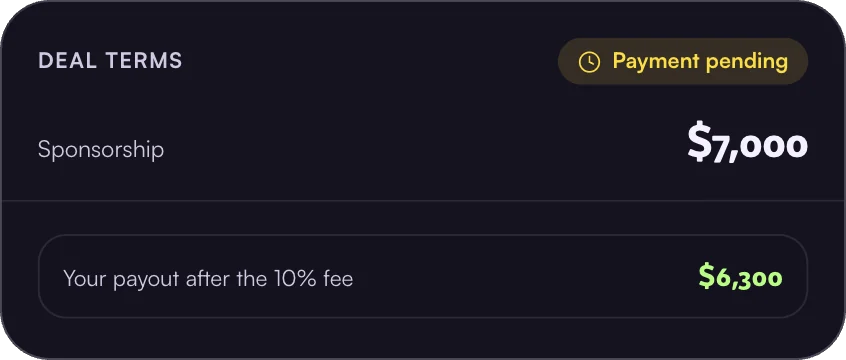
Attendee matching is free. For cash sponsorships made through Ghost, we take 10% of what the host receives. It’s shown before either side commits.
How are payments handled?
Hosting? Set up payouts first — see When do I get paid?
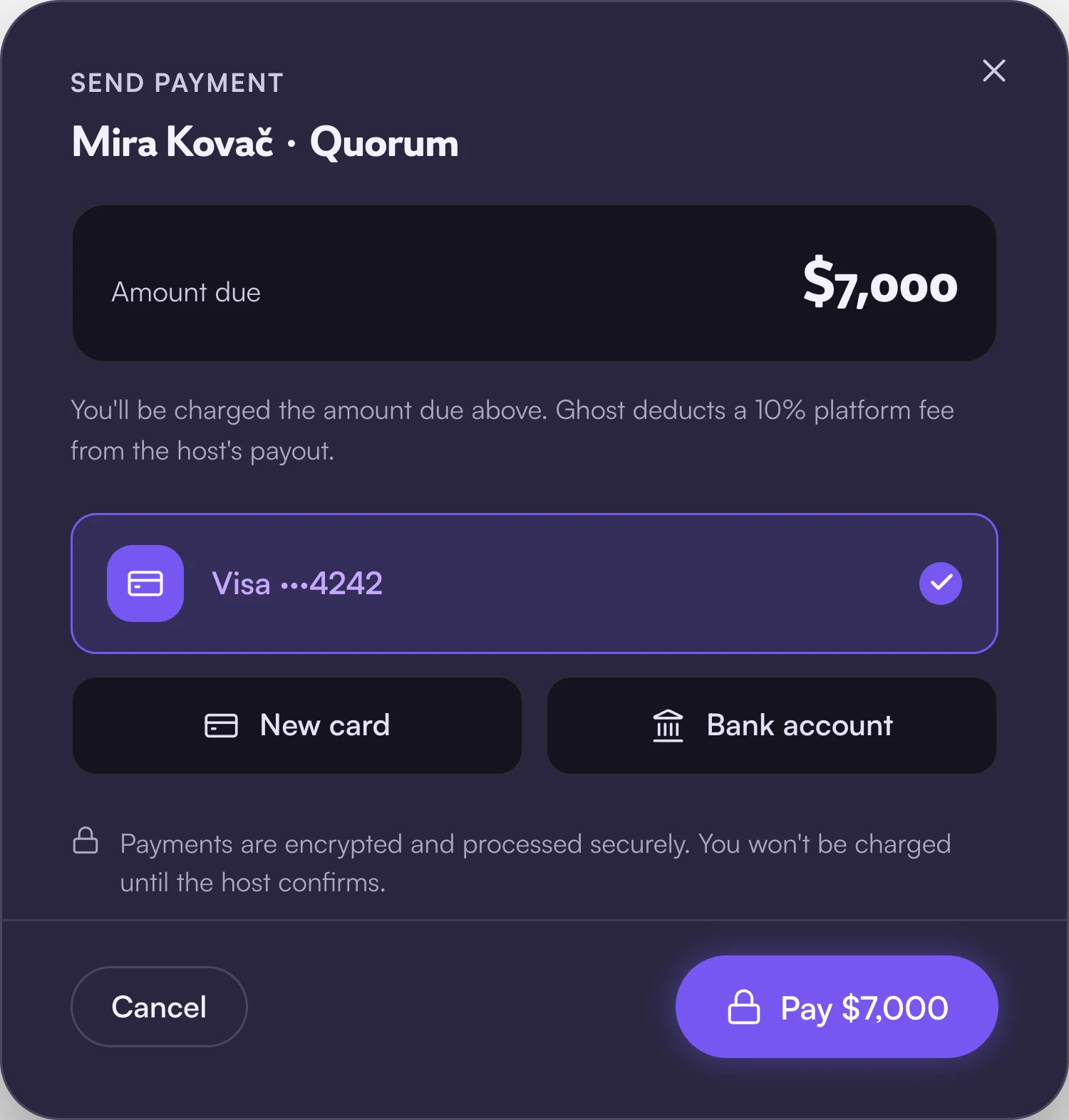
Sponsors pay through Ghost once a deal is finalized — by credit card or bank transfer — and the funds are released to the host. Ghost facilitates payment but isn’t a party to the agreement.
A sponsor’s payment method is never charged automatically. Accepting terms isn’t a charge; the sponsor pays when they choose to, from the deal room.
What if a moment is cancelled?
Email help@ghostsocial.ai and we’ll help both sides sort out next steps. The agreement itself is between the host and sponsor.
How does the referral program work?
Open Referrals (account menu).
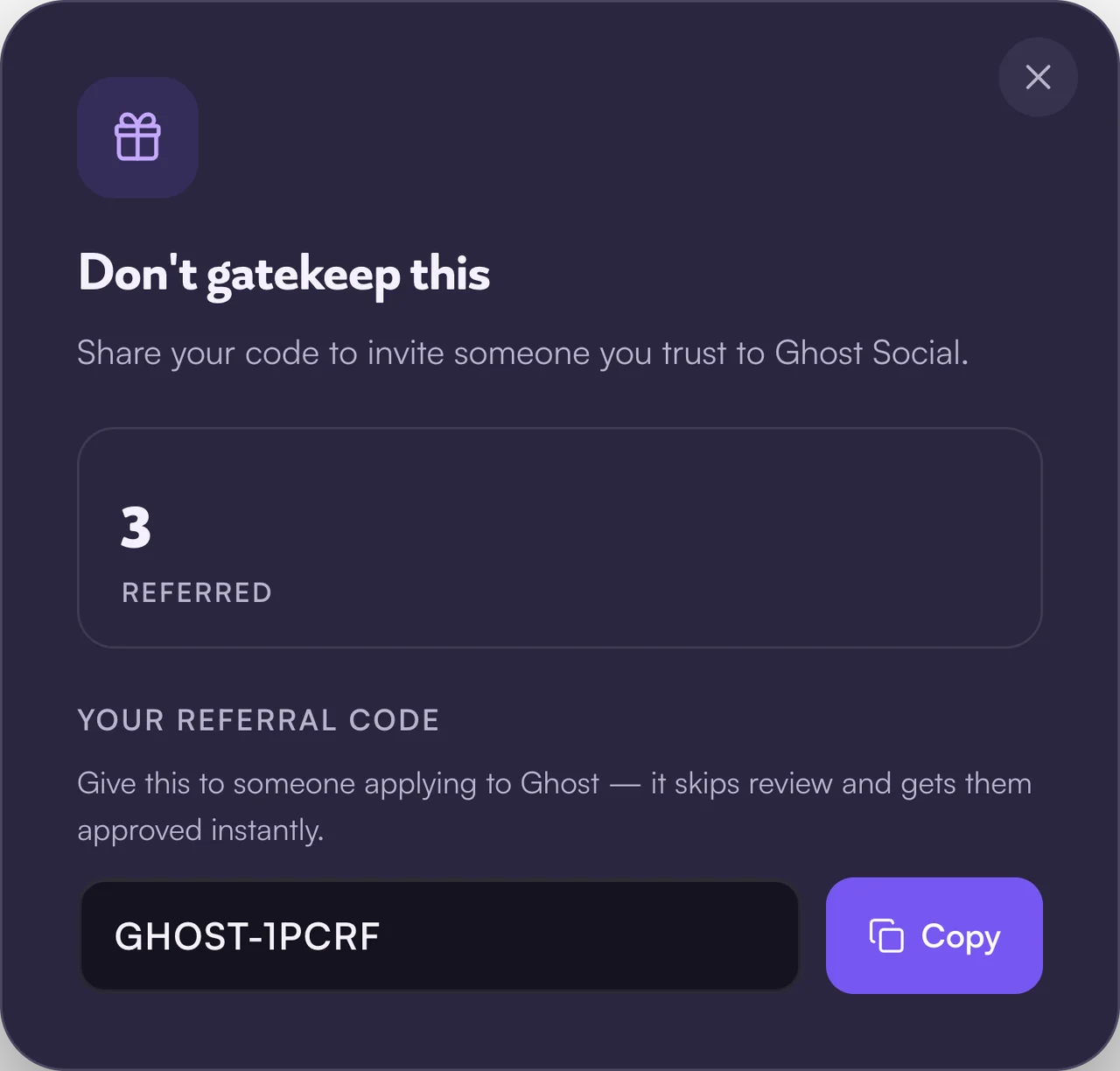
Give your code to a brand or host applying to Ghost and it skips review — they’re approved instantly.
Privacy & safety
When are identities revealed?
- The host’s organization is visible on every moment they publish.
- The sponsor’s organization is visible to the host as soon as the sponsor reaches out.
- Contacts on both sides — names and contact details — are revealed when the host replies.
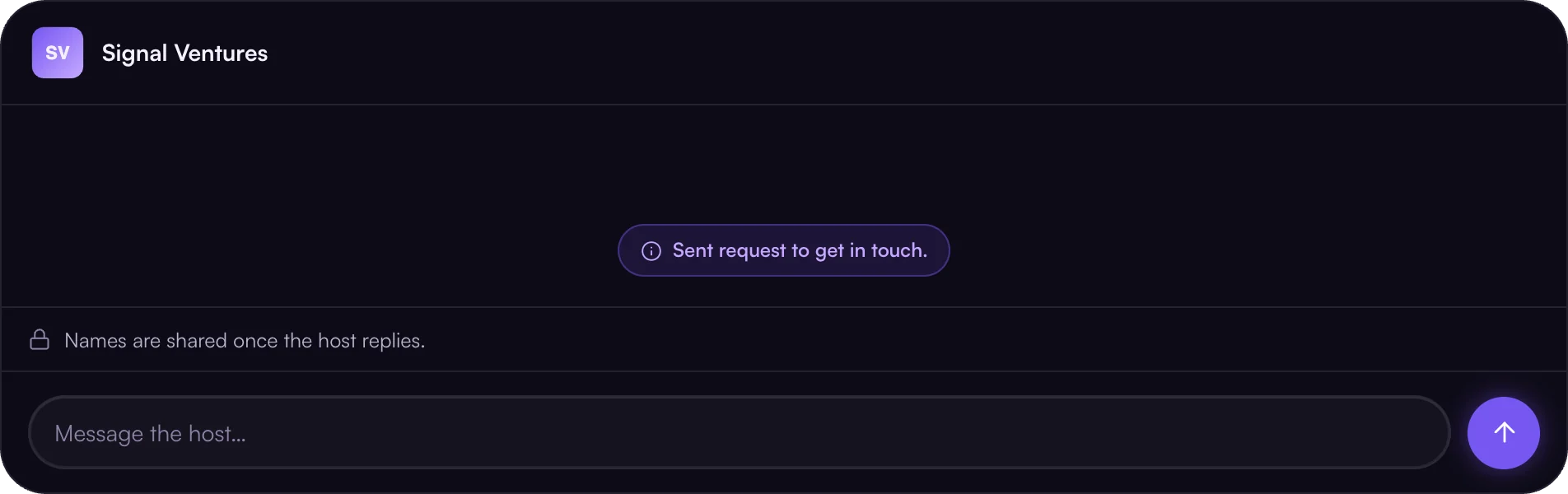
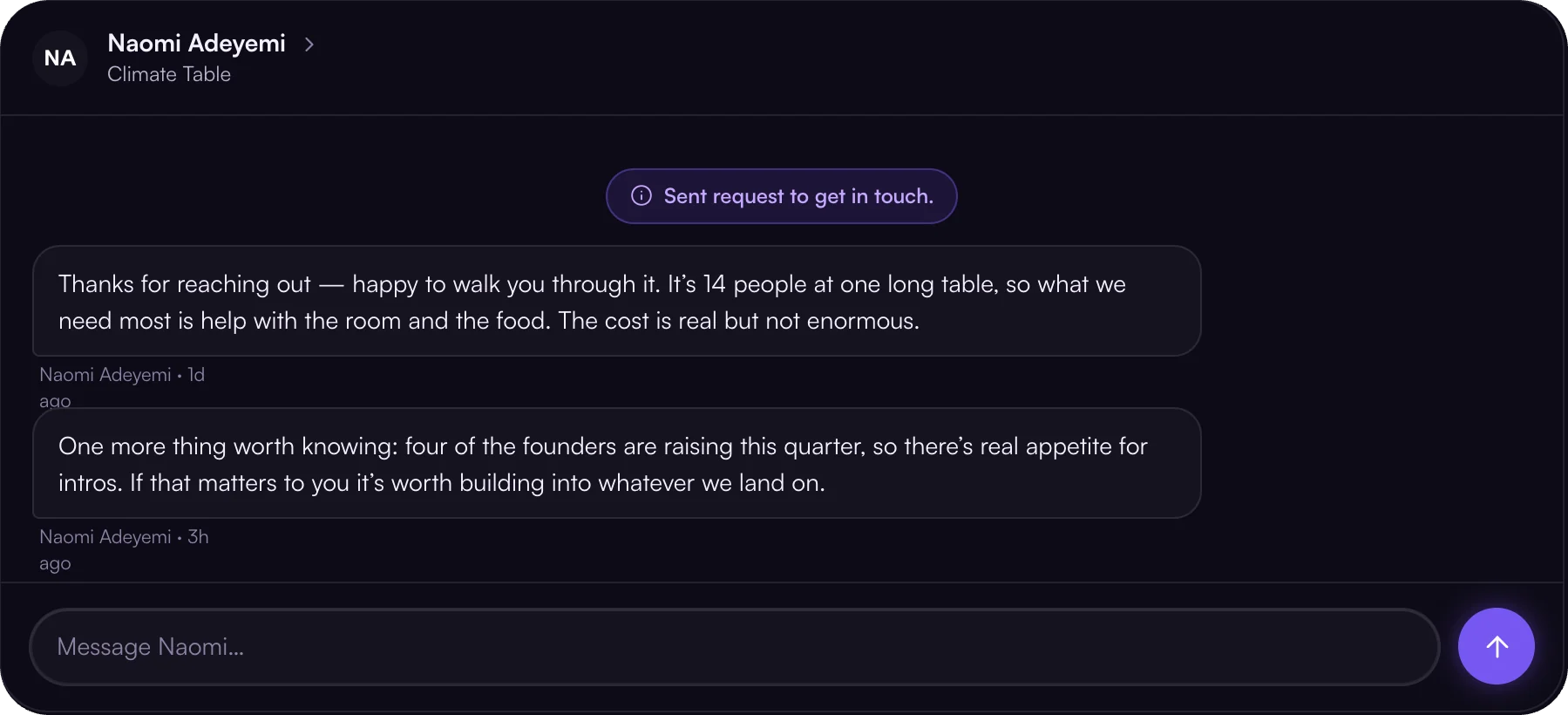
The host controls that moment — no reply, no reveal. Guest list access is separate: it unlocks only if it’s a deliverable of a finalized deal.
Is my data private?
Yes, privacy is the default. We share only what’s needed to run a moment or complete a deal you agreed to, and we never sell your data.
Our emails are sent through Postmark, and we don’t track whether you open them. Full detail is in the Privacy Policy.
Fund your moments.
For rooms full of decision-makers — founder dinners, VC happy hours, CFO summits, hackathons.




Your room is worth sponsoring.
Set up once, publish in minutes
Ghost drafts your profile from your website and your deal from your deck, so you review instead of write.
Your whole pitch, in one place
Ghost drafts your profile from your website: who you are, who comes, past sponsors, and your reviews. Sponsors see it on every moment you publish, so you stop re-sending decks and references over email.
Your deal and your room, filled in
Paste your event link, upload your sponsorship deck, and upload your guest list. Ghost fills in the details, the ask, and what you offer — only the fields you left blank. Your guest list stays private: sponsors see how much of the room fits them, never names.
The right sponsors come to you.
Matched privately, on your terms
Ghost shows your moment only to sponsors it fits. They reach out first, and you decide who to talk to.
Only sponsors who fit
Ghost privately matches your moment with sponsors whose ideal clients are in your room. They message first, and you see each organization by name.
Counter until it’s right
Reply to exchange contacts, then accept, counter, or decline terms with a note. Nothing is binding until you both agree.
Get paid. Host a better room.
Funded, delivered, remembered
Payment arrives through Ghost, your guests meet the right people, and every deal builds the track record the next sponsor reads.
Paid through Ghost
Once terms are agreed, the sponsor pays through Ghost and you receive 90% in your linked bank account. Deliver what you promised and the moment is funded.
A track record that wins the next deal
After every event, sponsor reviews and funded moments add to your profile, and each deal makes the next one easier to close. Upload your guest list and Ghost also sends you recommended matches for your attendees, free.
Questions, answered
Don’t see yours? Get in touch. We usually reply within a day.
Getting started
What is Ghost?
Ghost is the AI-native platform for relationship-driven business development. Sponsors find the in-person rooms their ideal clients are in, see who’s there before they commit, and agree terms and pay in one place. Hosts get their moments funded by sponsors who fit.
Every host and sponsor in the Ghost network is vetted, so both sides know who they’re dealing with.
Who is Ghost for?
Sponsors and hosts. Sponsors are companies that grow through in-person relationships — B2B SaaS companies, law firms, wealth managers, banks, and other high-value firms. Ghost matches them with the rooms worth being in.
Hosts run the dinners, salons, and summits those sponsors want to be in. Ghost matches their moments with the right sponsors, keeps terms and payment in one place, and recommends who their attendees should meet.
Are hosts and sponsors vetted?
Yes. Every host and sponsor on Ghost is either referred by an existing member or reviewed by our team before they can publish a moment or reach out. A referral code skips review and approves you instantly.
Who can see whom, hosts and sponsors?
Anyone browsing can see moments, though some details are gated until you sign in, and you can’t message a host until you sign up or log in.
If the host uploads a guest list for their moment, sponsors can see each guest’s role, company, city, and whether they’re invited or confirmed. Names, emails, and LinkedIn profiles stay private by default until a deal is reached, and only if the guest list is part of that deal.
Hosts can’t browse sponsors — sponsors always reach out first. When one does, you see which organization it is. Reply, and you each get the other side’s point of contact and their details. No reply, no contact exchanged.
How does a deal come together?
A host publishes a moment. Ghost privately sends it to the sponsors it’s an excellent or great fit for, against the criteria they set. Sponsors reach out first; the host’s reply reveals each side’s point of contact, and from there you agree on terms, pay through Ghost, and review each other.
What is a sponsorship brief?
What a sponsor sees on every published moment, matched or not.
Qualified leads and cost per qualified lead only appear when the host has uploaded an invited or confirmed guest list and the sponsor has their ideal customer profile filled out in Sponsorships (account menu). Those leads are described — role, company, location where applicable — never named; contact details stay with the host unless attendee list access is an agreed deliverable.
The host and co-host organizations’ logos, names, and websites are public. The people aren’t: the host and any co-hosts are named once the host replies to a sponsor.
What are deliverables?
Deliverables come from one shared list, grouped the same way everywhere in Ghost:
Basics
Access
Bonus
Anything outside this list goes in as your own “other” deliverable.
Hosts pick them in the deal step of , and they show up on the brief as “In exchange for.”
Sponsors set theirs in Sponsorships: which deliverables they’re seeking, and which are dealbreakers. That shapes the moments Ghost matches them with, and they pick them again per deal when they propose terms.
Where attendee list access is in play, the sponsor also specifies which fields the list has to carry when they propose terms — shown above under that deliverable — so both sides know exactly what’s being agreed to.
For hosts
How do I create a moment?
Create a moment from Discover, your moments page, or right here.
Three steps:
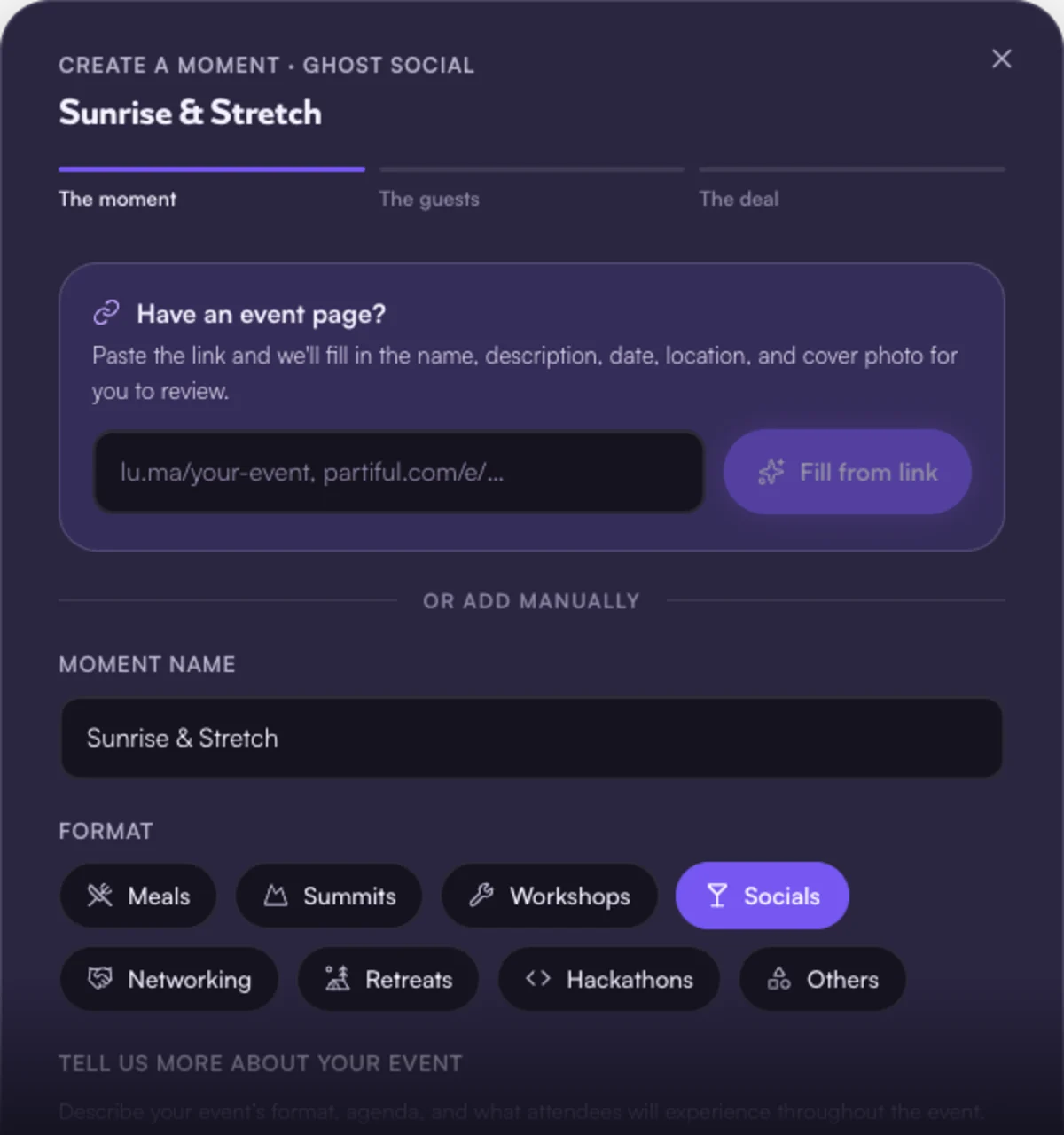
Paste your event page link (lu.ma, Partiful, Eventbrite) and Ghost fills in the name, description, date, location, and cover photo for you to review — or add them manually. Then the format, when and where, a cover photo, and any co-hosts. Sponsors only see the city until a deal is reached.
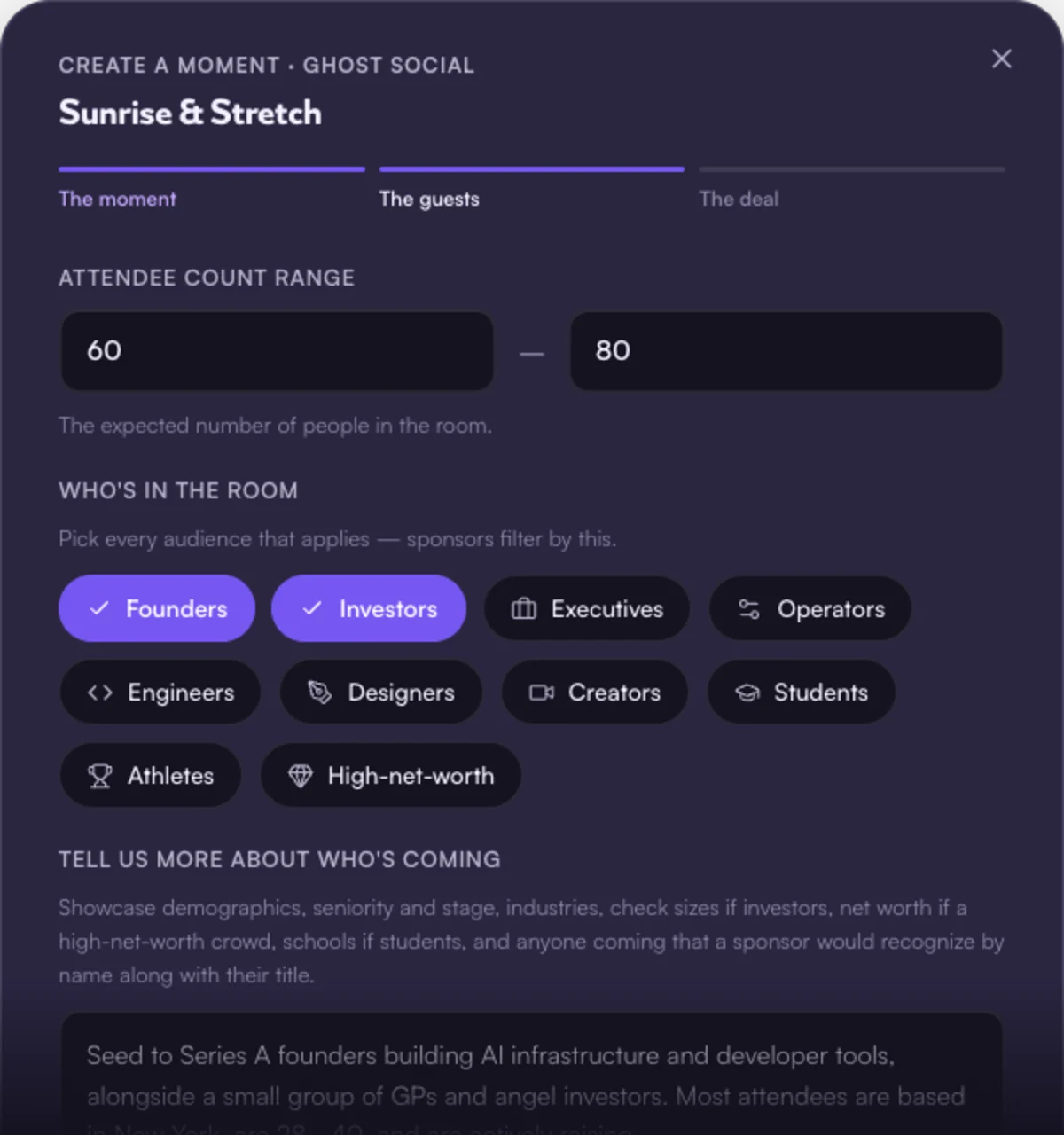
The attendee count range, who’s in the room, and the detail sponsors actually pay for — seniority, industries, check sizes, anyone they’d recognize by name. Upload your guest list if you have one, or mark it to be determined with the sponsor.
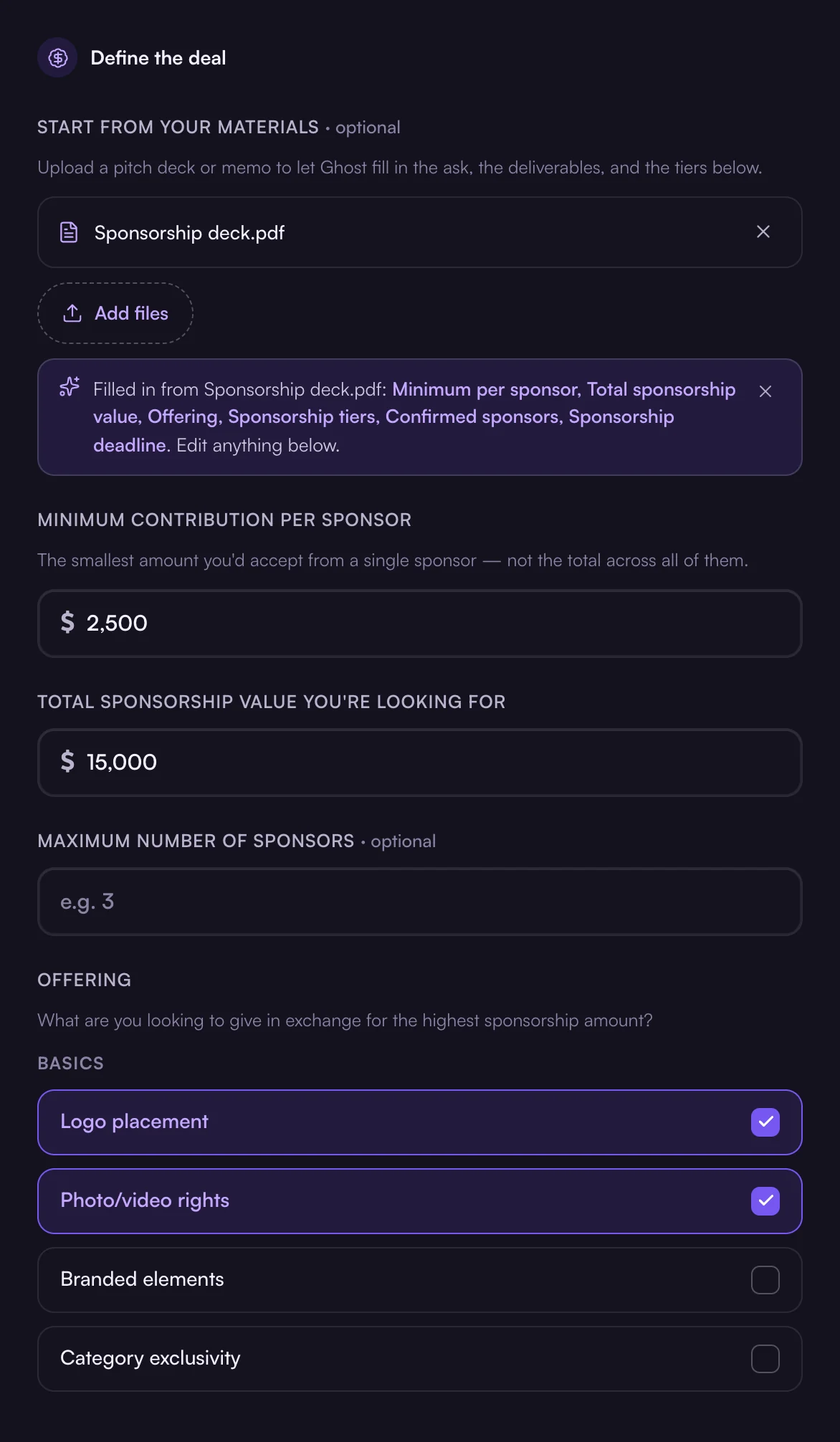
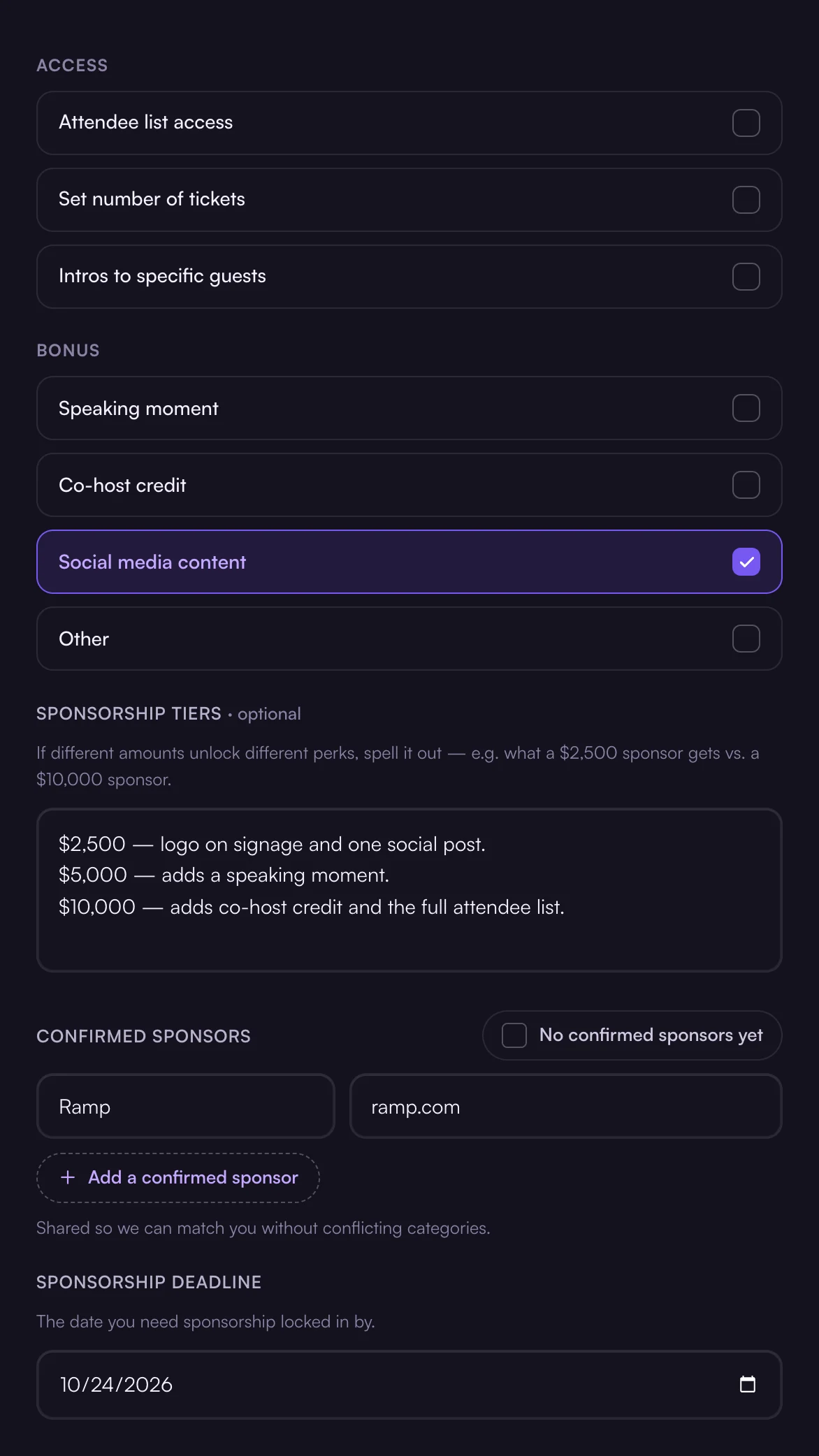
Start from your materials: upload a pitch deck and Ghost fills the rest of this step in. Otherwise set your minimum per sponsor, the total you’re looking for, a maximum number of sponsors, what you’re offering in return, optional tiers, any confirmed sponsors, and the date you need sponsorship locked in by.
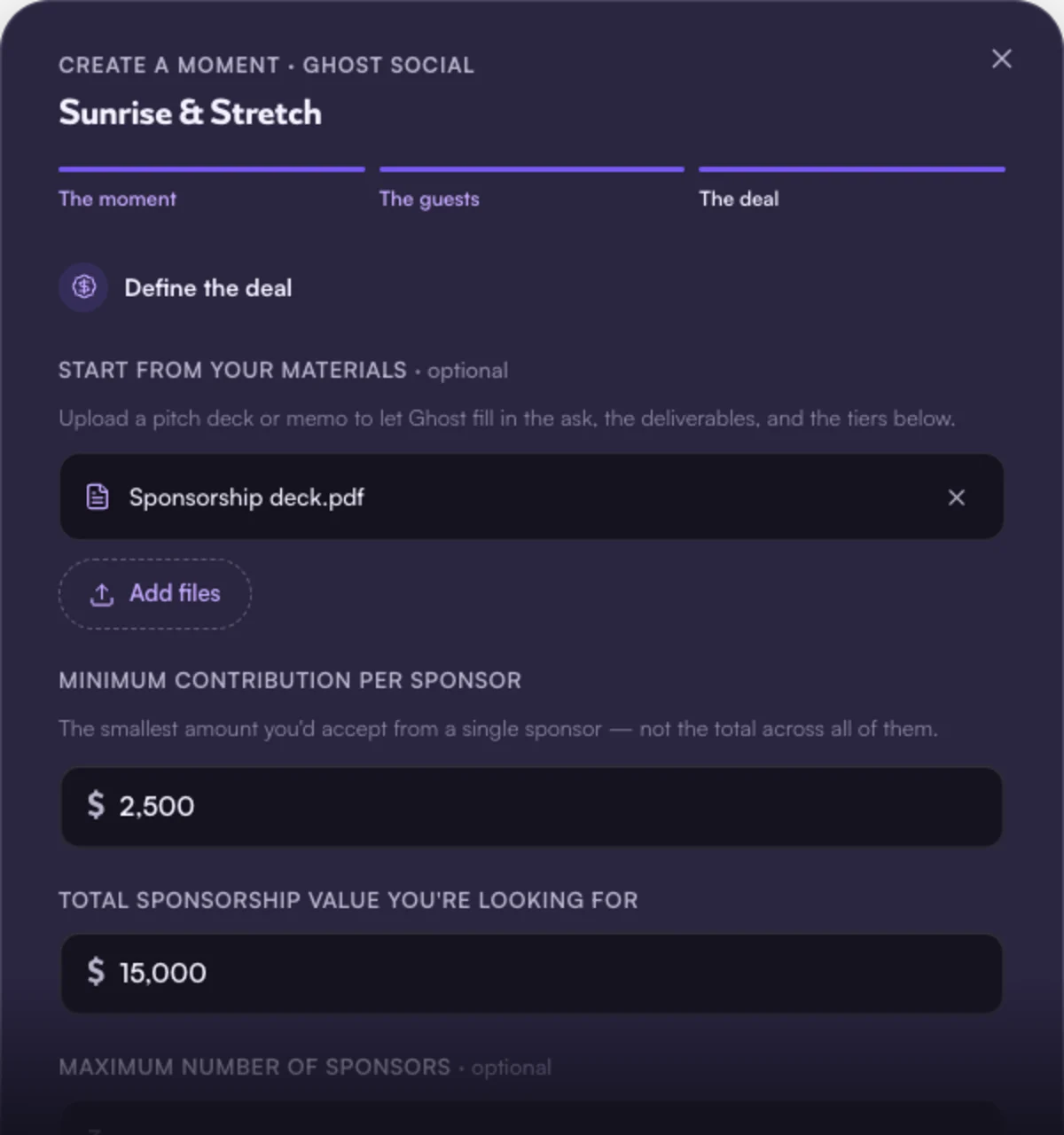
Publish and Ghost starts matching sponsors — or save it as a draft and come back.
Can Ghost fill in the deal from my sponsorship deck?
Yes. When you get to the deal step, upload a pitch deck or sponsorship memo at the top and Ghost reads it, then fills in the minimum per sponsor, total sponsorship value, what you’re offering, your tiers, any confirmed sponsors, and the sponsorship deadline.
Can I upload my guest list? Who sees it?
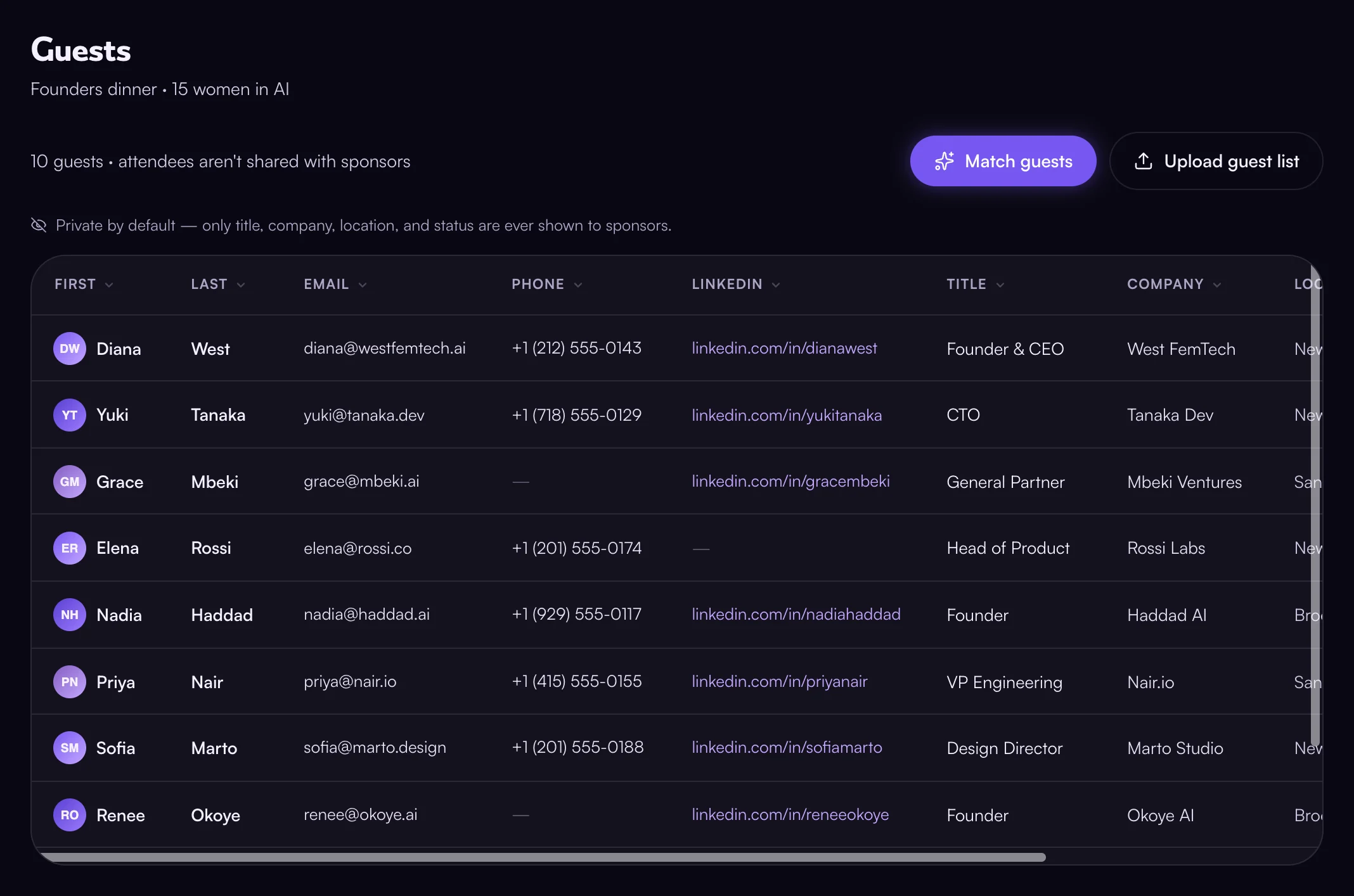
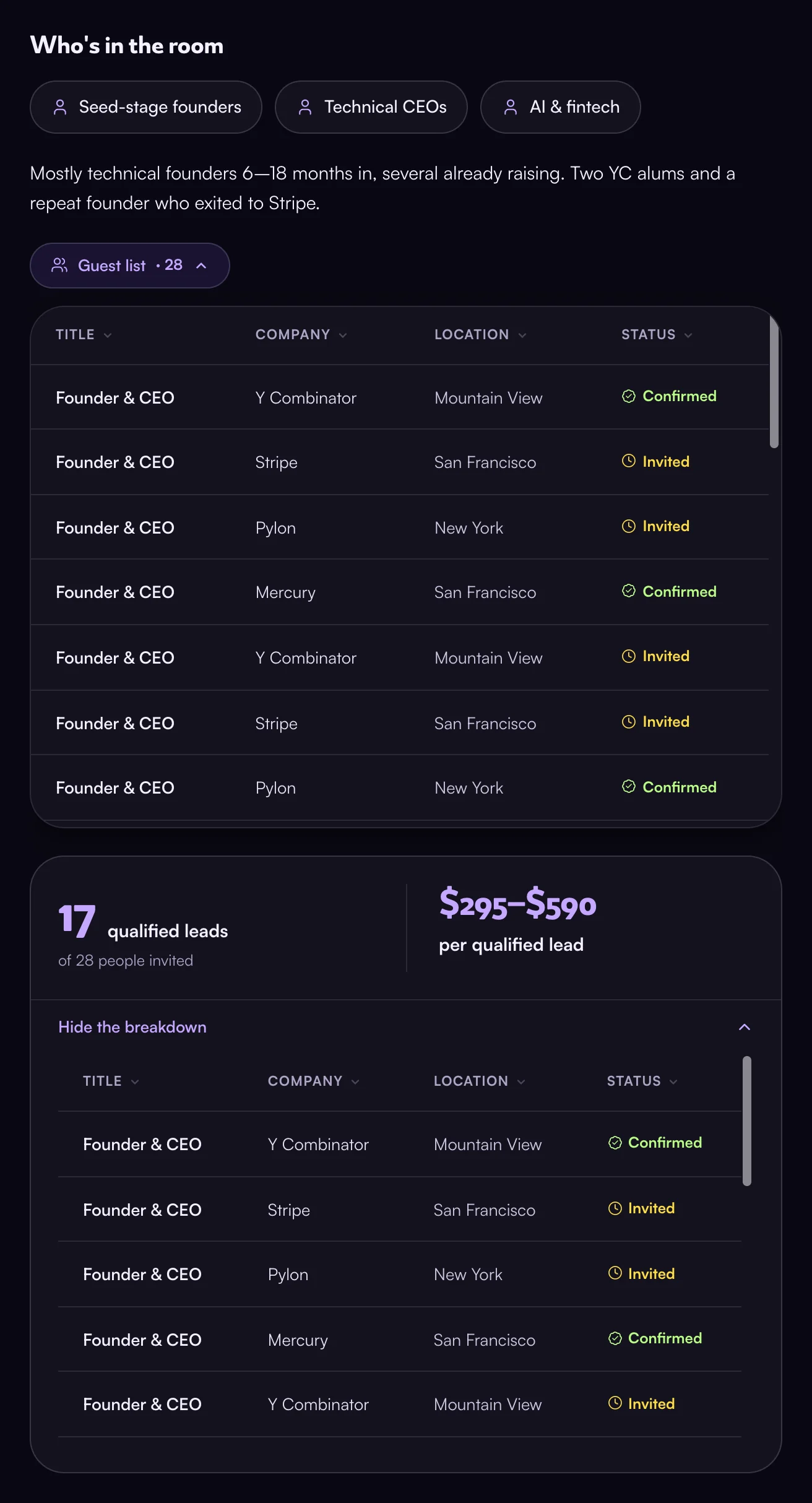
Yes. Uploading one shows sponsors who’s in the room — each guest’s title, company, location, and whether they’re invited or confirmed — plus how many fit their ideal customer profile and the cost per qualified lead.
Names, emails, phone numbers, and LinkedIn profiles stay with you. A sponsor only gets them if guest list access is part of a deal you’ve both agreed to — and a sponsor of the moment keeps that access after the event ends. Full detail is in the Privacy Policy.
What are sponsorship tiers, and do I need them?
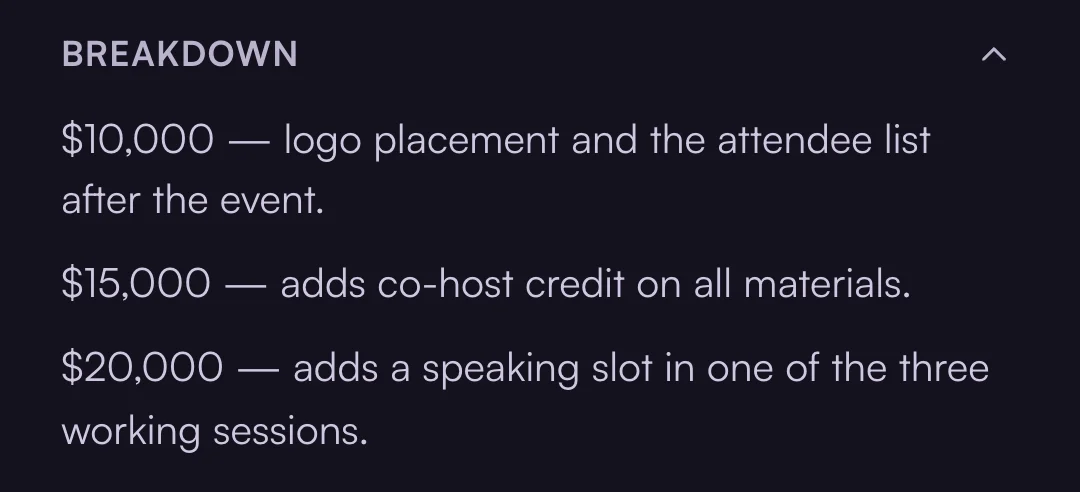
Optional. If different amounts unlock different perks, spell them out in the deal step — e.g. what a $2,500 sponsor gets versus a $10,000 one. Leave it blank and the ask is simply your minimum per sponsor up to your total.
Tiers show up on the brief under Breakdown, which a sponsor opens next to the deliverables:
What is the AI voice interview for hosts?
An optional 90-second interview in your Profile (account menu), not part of creating a moment: Ghost asks a few short questions and writes the “about your organization” copy sponsors read, capturing nuance that’s hard to type. You can edit the text afterwards.

No human hears your audio; we keep only the transcript summary.
When do I get paid?
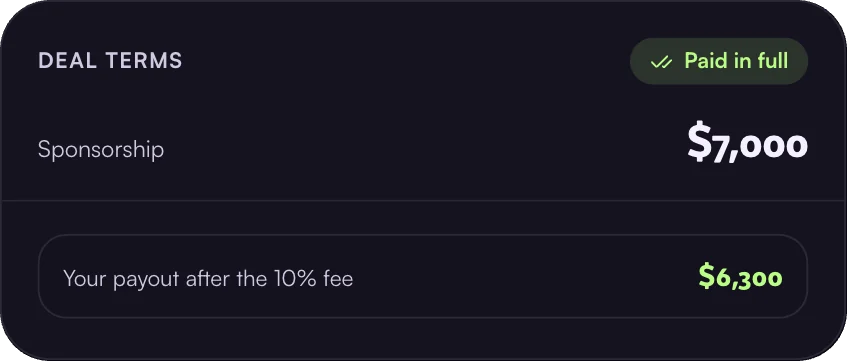
Once a deal is finalized, the sponsor pays through Ghost and the funds are released to you, minus our 10% commission — a $7,000 deal pays out $6,300.
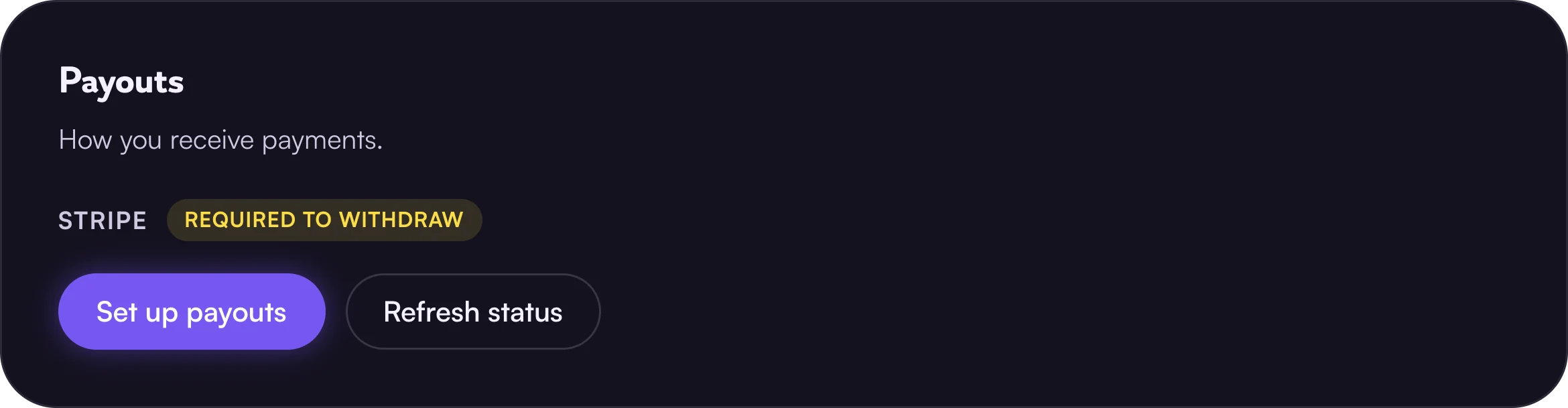
Payouts go through Stripe, so set them up under Payouts in Settings (account menu) before your first deal — until you do, Ghost can’t send you the money.
Track status and send reminders from the deal thread in your inbox (top right).

Deals & payments
Does Ghost take a commission?
Attendee matching is free. For cash sponsorships made through Ghost, we take 10% of what the host receives. It’s shown before either side commits.
How are payments handled?
Hosting? Set up payouts first — see When do I get paid?
Sponsors pay through Ghost once a deal is finalized — by credit card or bank transfer — and the funds are released to the host. Ghost facilitates payment but isn’t a party to the agreement.
A sponsor’s payment method is never charged automatically. Accepting terms isn’t a charge; the sponsor pays when they choose to, from the deal room.
What if a moment is cancelled?
Email help@ghostsocial.ai and we’ll help both sides sort out next steps. The agreement itself is between the host and sponsor.
How does the referral program work?
Open Referrals (account menu).
Give your code to a brand or host applying to Ghost and it skips review — they’re approved instantly.
Privacy & safety
When are identities revealed?
- The host’s organization is visible on every moment they publish.
- The sponsor’s organization is visible to the host as soon as the sponsor reaches out.
- Contacts on both sides — names and contact details — are revealed when the host replies.
The host controls that moment — no reply, no reveal. Guest list access is separate: it unlocks only if it’s a deliverable of a finalized deal.
Is my data private?
Yes, privacy is the default. We share only what’s needed to run a moment or complete a deal you agreed to, and we never sell your data.
Our emails are sent through Postmark, and we don’t track whether you open them. Full detail is in the Privacy Policy.
Attendee matching
What is attendee matching?
Beyond sponsorships, Ghost recommends who in your room should meet — free, and separate from any sponsor deal.
- Set your rules — pairs or groups, how many matches each person gets, and any criteria in plain English.
- Upload your guest list — a .csv or .xlsx. Each row needs an email, networking goals, and either a role and company or a LinkedIn URL.
- Get your matches — submit, and Ghost emails them to you within an hour.
Your attendees don’t need Ghost accounts, and the list stays yours.
Match my guestsWhen should I run it?
Once you know who’s coming. We recommend running it at least an hour before you need the matches, so there’s room to spare, plus whatever time you need to get them out.
How the matches reach your attendees is up to you: the spreadsheet lands in your inbox, and you send it on however suits the moment — an email each, place cards, a message in your group chat.
Most hosts use it for the room itself — who should find whom while everyone’s there. It works just as well afterwards: send the matches out once it’s over as who to stay in touch with, or reach out to if they didn’t meet already.