Foster connections between the members of your community.

Turn a passive audience into a connected community by creating match drops for your members. Whether you want to curate 1:1 matches or compatible groups of people, Ghost allows you to run mentorship programs, create curated seating charts, put together the ideal trivia teams, and more. And the best part? It’s free.

HOW IT WORKS

Three steps from invite link to a real conversation.

1

Create your community on the host portal

Set it up in the host portal and share the invite link with your members.

2

Members build a private profile

They connect their socials and talk with Ghost for a few minutes to generate a nuanced private profile.

3

Ghost creates and delivers the matches

Members are matched to each other based on compatibility and the settings you choose.

Why run match drops?

❋ Engagement & retention: Members get more value by meeting people who genuinely align with them.

❋ Built for IRL connection: No swiping. No directories. More time actually connecting in person.

❋ Community insights: Understand who your members are, what they care about, and who they want to meet.

❋ Private by design: Members are only visible to the host, and their matches.

THE HOST PORTAL

How to get started as a host

Create a community, schedule match drops, share an invite, watch the engine generate matches between your members with auditable rationales, and gain more insights into your community.

CREATE A COMMUNITY & SHARE IT
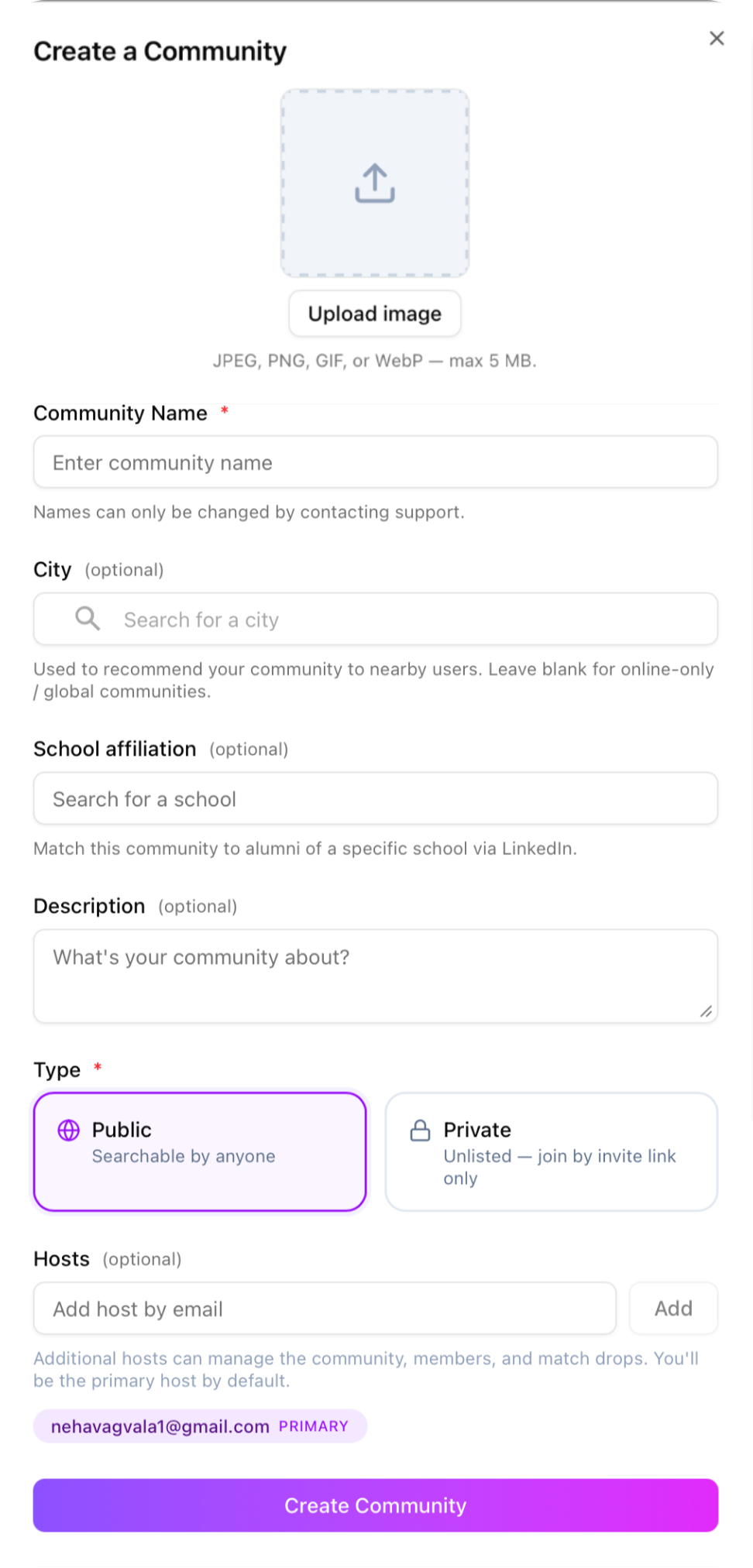
Screenshot of a form titled 'Create a Community' with fields for uploading an image, entering a community name, optional city, school affiliation, description, and options to select community type as 'Public' or 'Private'. The form includes a 'Create Community' button at the bottom.
Screenshot of a social media app's invite link sharing options, including a URL, copy link button, and QR code button.

CREATE MATCH DROPS

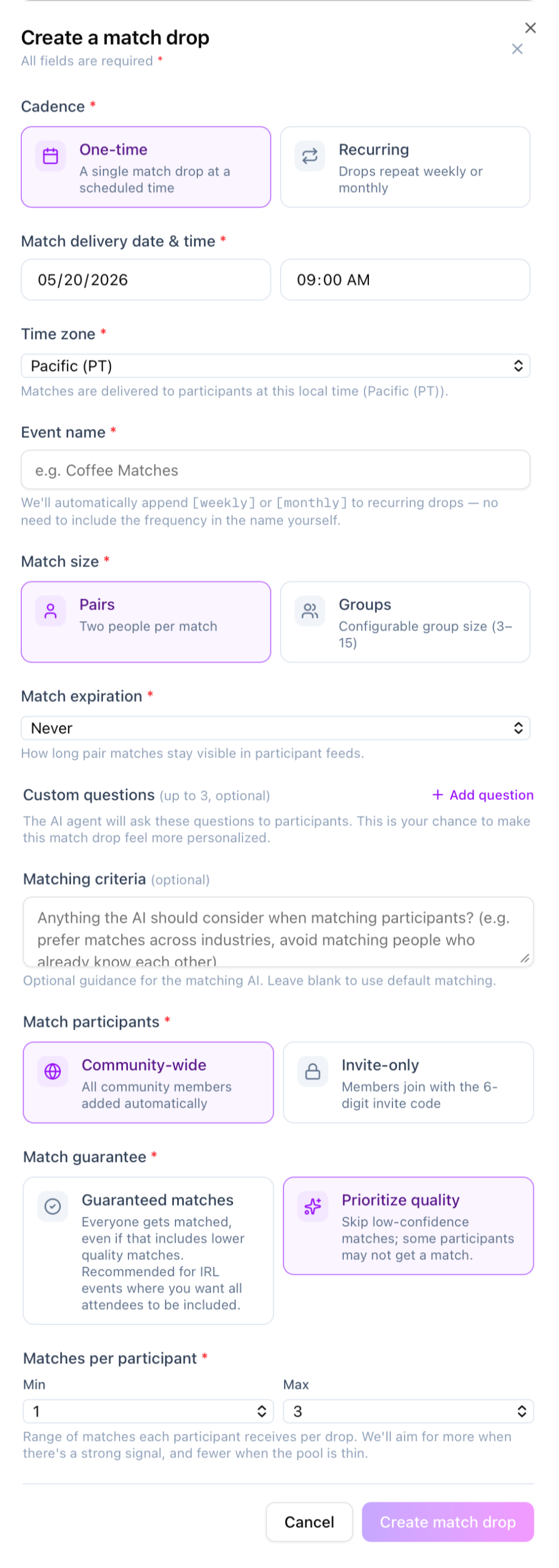
Screenshot of an online form for creating a match drop, including options for one-time or recurring matches, setting date and time, time zone, event name, match size, expiration, custom questions, matching criteria, participants, guarantee options, and number of matches per participant, with buttons to cancel or create the match drop.

VIEW METRICS, INSIGHTS, & MATCHES

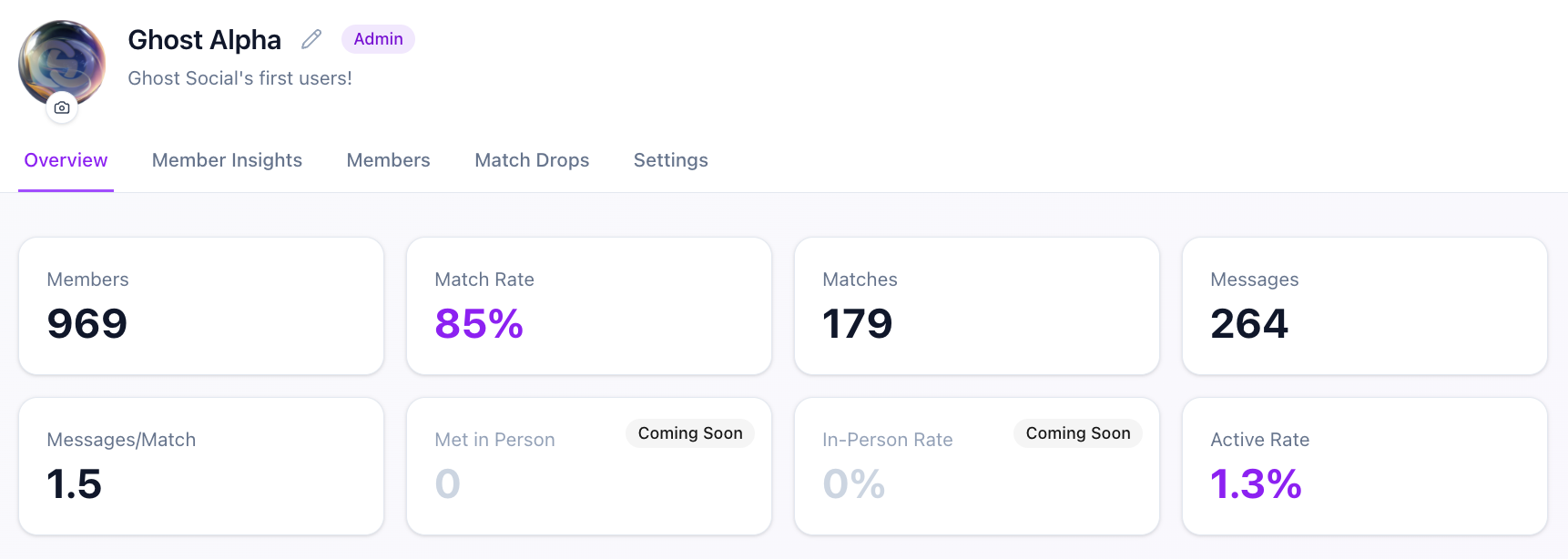
Screenshot of a user profile page for Ghost Alpha, an admin on a social platform, showing statistics such as 969 members, 85% match rate, 179 matches, 264 messages, a messages per match ratio of 1.5, a 0% met in person, and a 1.3% active rate. Navigation tabs include Overview, Member Insights, Members, Match Drops, and Settings.
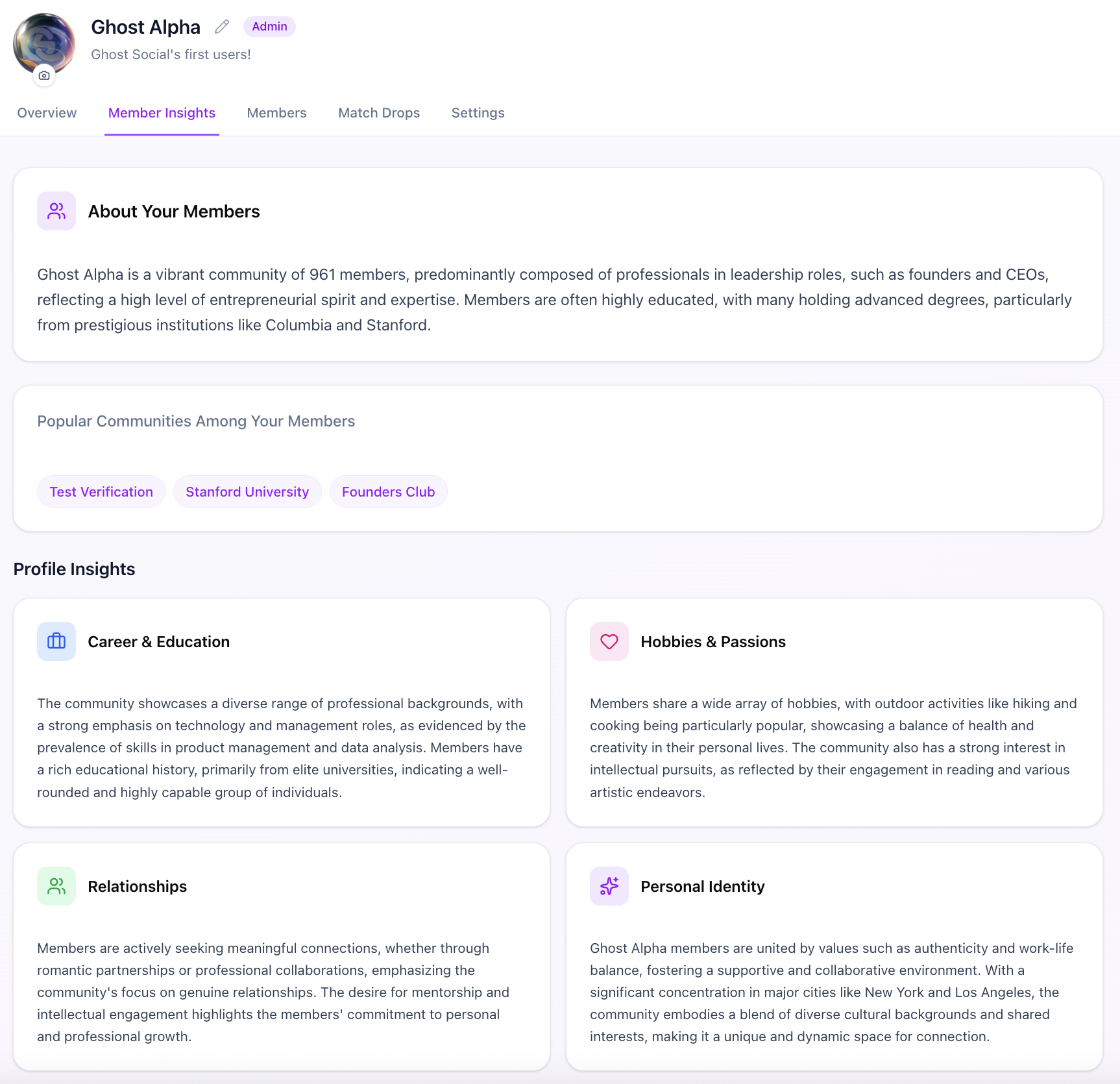
Screenshot of a social network profile page for Ghost Alpha, with tabs for Overview, Member Insights, Members, Match Drops, and Settings. The profile displays community information, popular groups, and personal insights related to career, hobbies, relationships, and identity.
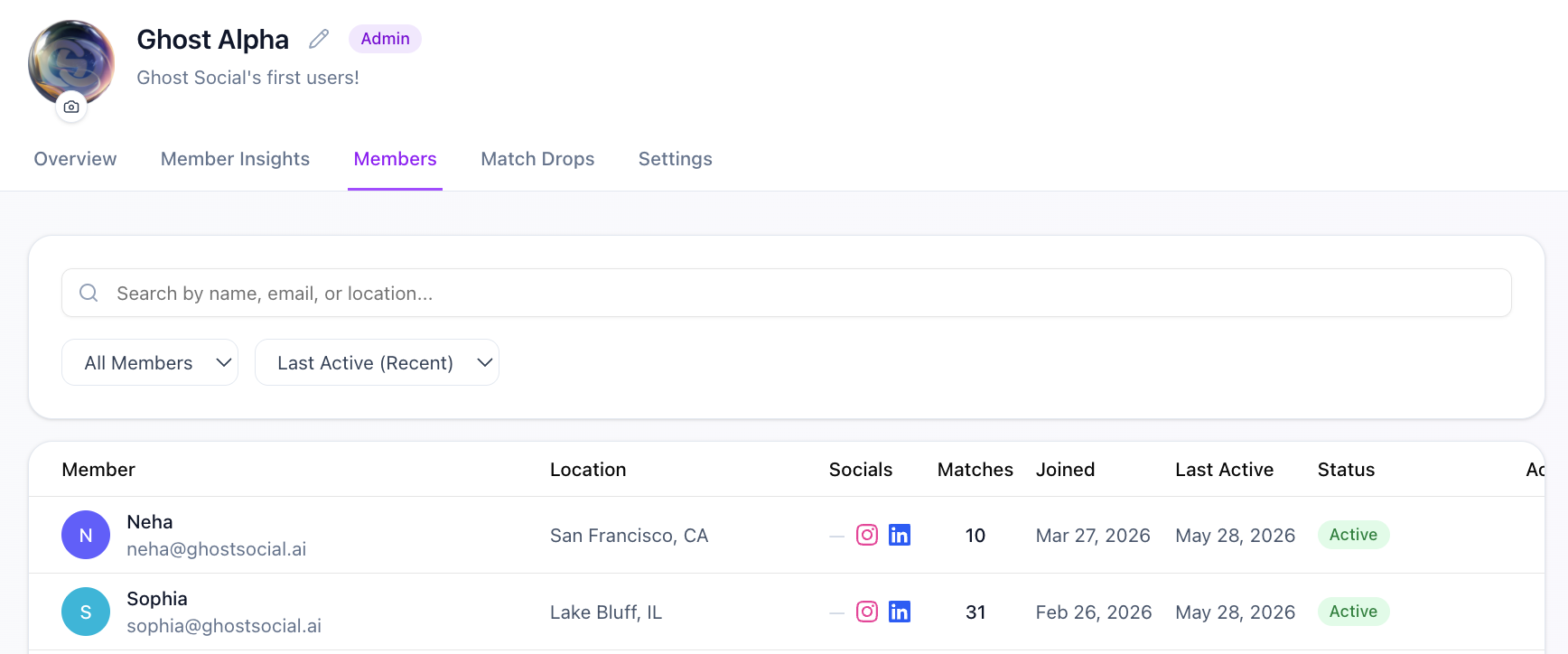
Screenshot of a website interface titled 'Ghost Alpha' showing member lists with details including names, email addresses, locations, social media links, number of matches, join date, last active date, and account status. The interface includes navigation options like Overview, Member Insights, Members, Match Drops, and Settings.
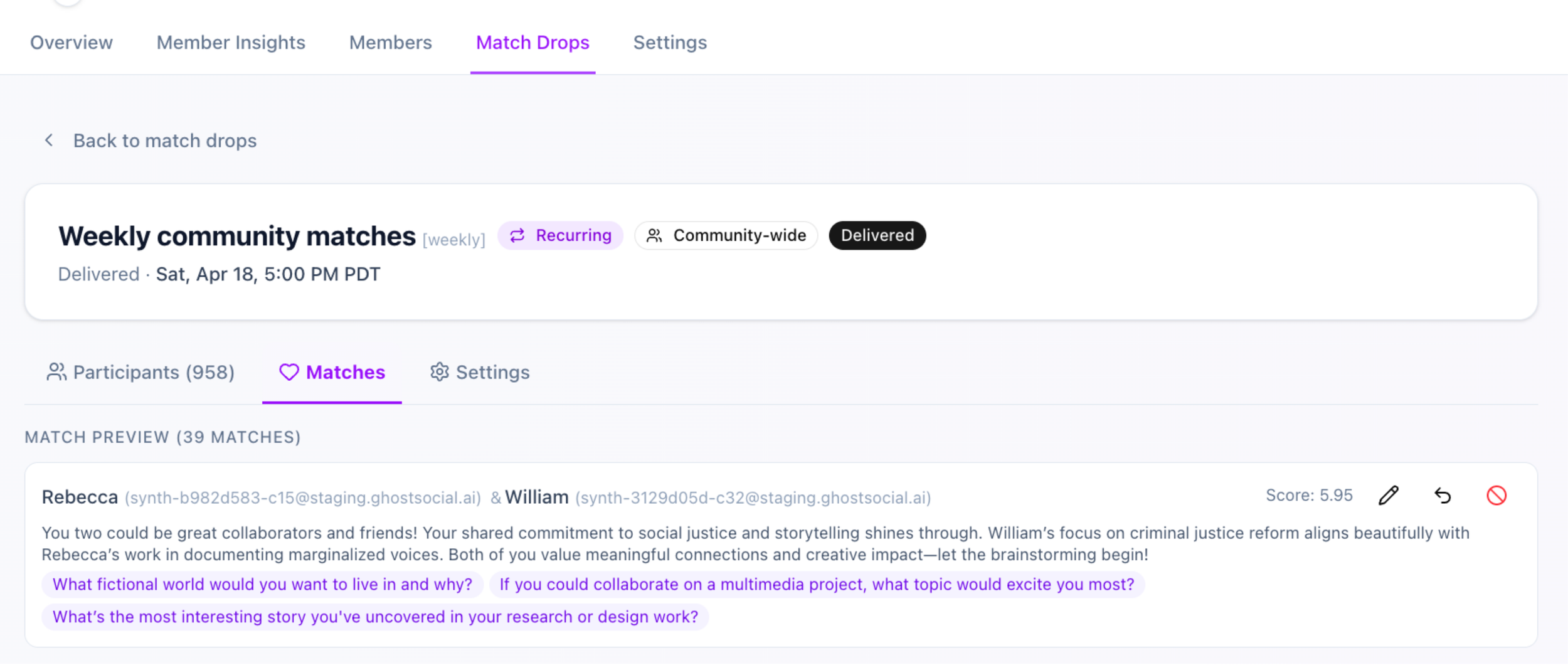
Screenshot of an online community matching platform showing a weekly community match scheduled for April 18 at 5:00 PM PDT, with a list of participant matches and discussion questions.

THE MEMBER APP

The community member experience

Available on an iOS app and website.
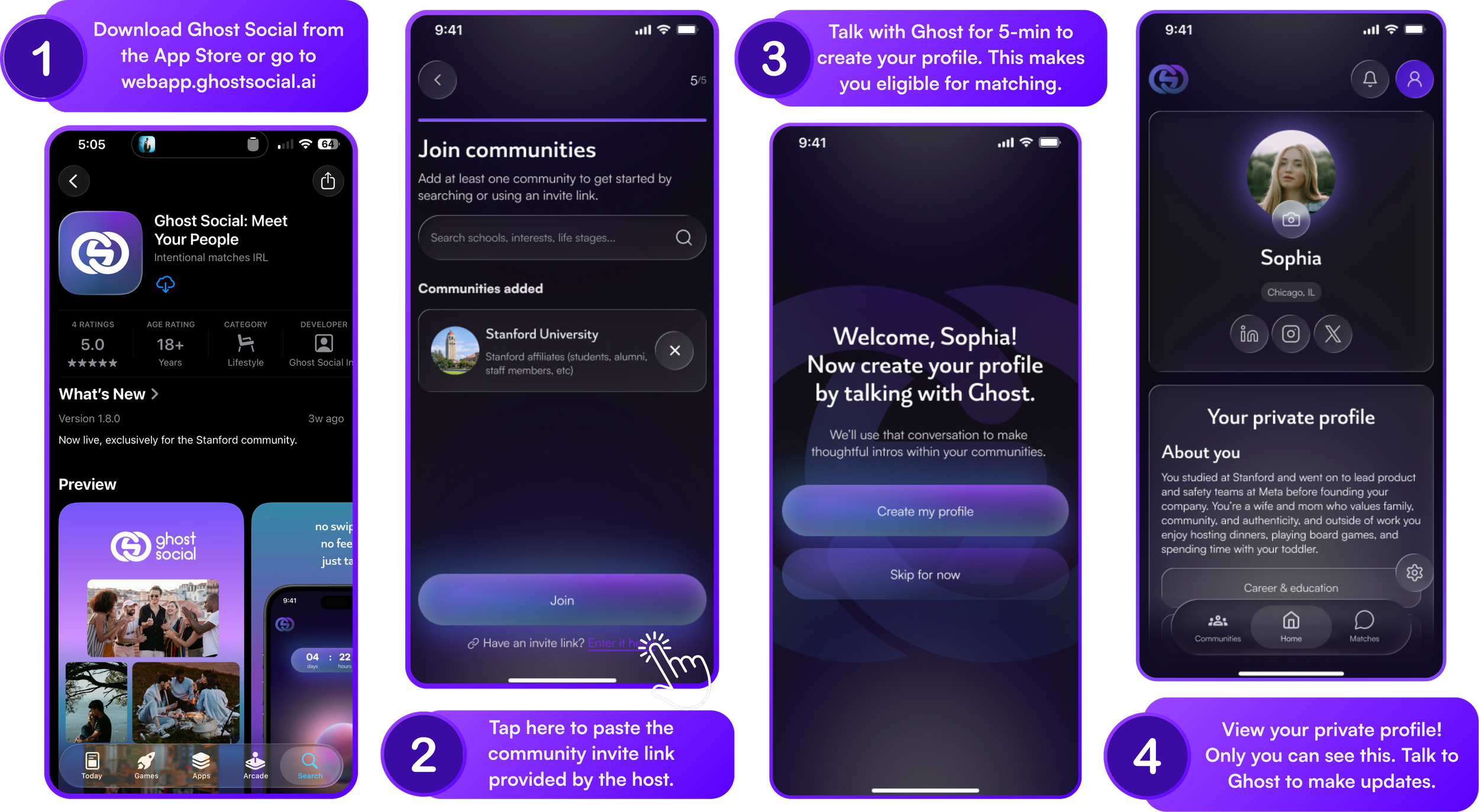
Screenshots demonstrating the steps to create a profile on Ghost Social app, including downloading the app, joining communities, creating a profile by talking with Ghost, and viewing the private profile.
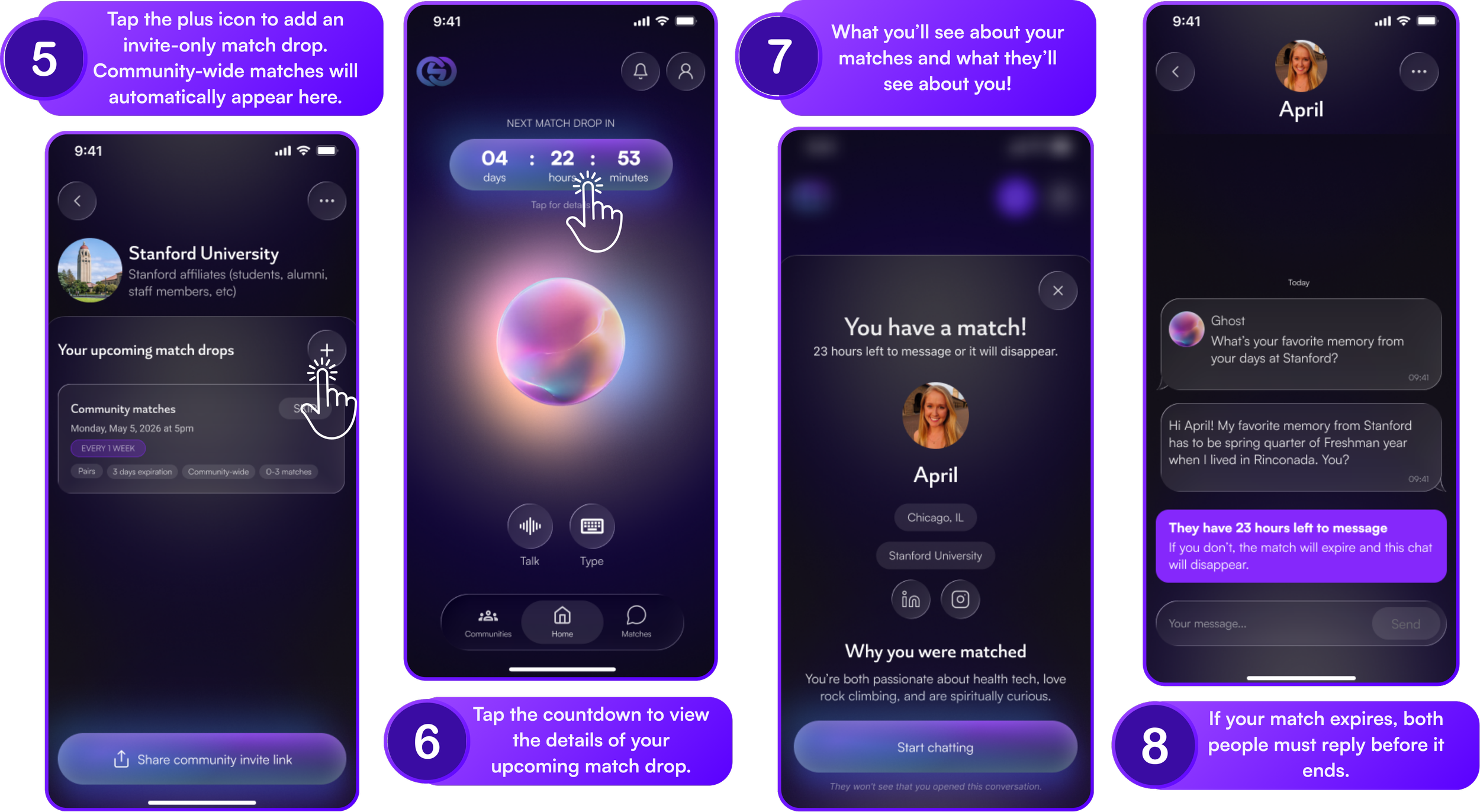
A series of smartphone screenshots showing a dating app interface with instructions on how to match with people, view details of matches, message matches, and related features. Purple, black, and gray color scheme, with text overlay explaining each step.

FAQs

Frequently asked questions

  • It’s totally free for both the host and their community members :)

  • To create an account:

    1. Enter your email address.

    2. Check your email for a secure sign in link.

    3. Tap the link to return to the app and create your account.

    You do not need a password. Each sign in link is secure and time limited.

  • Yes! We’ve created this Help Center to help your members navigate the app.

  • The IRL economy is the growing market around real-world gatherings, in-person communities, live experiences, sponsorships, and the software that makes offline connection measurable, fundable, and scalable.

    Learn more in this article.